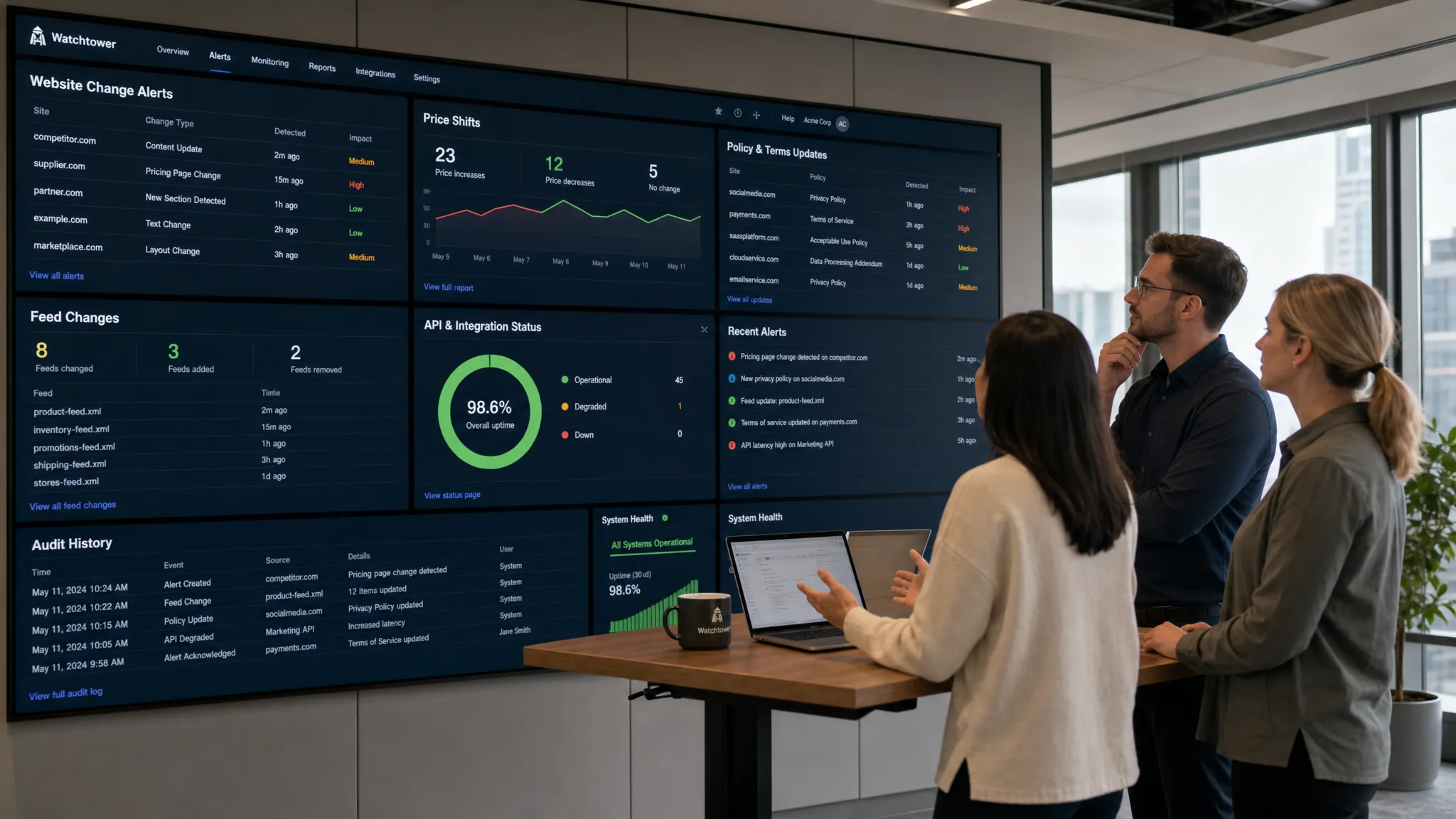
Most teams do not need to know every time a pixel moves on a website. They need to know when a change affects revenue, compliance, customer experience, or operations. That is the difference between basic website watching and knowing how to monitor a web page for critical changes.
A critical change might be a competitor dropping a price, a supplier updating its terms, a checkout page breaking, a policy page changing, or an API response shifting without notice. If the wrong person finds out too late, the damage can show up as lost margin, missed obligations, broken workflows, or unhappy customers.
The goal is not to create more alerts. The goal is to catch the right changes quickly, route them to the right team, and keep a reliable record of what changed.
What makes a web page change critical?
A web page change is critical when it requires a timely business response. A redesign may be visually obvious but operationally irrelevant. A single sentence added to a supplier policy, on the other hand, may affect legal review, procurement, or customer commitments.
The first step is to separate “interesting” from “actionable.” If nobody would take action after seeing the alert, it probably should not be monitored as a critical change.
| Page or source type | Critical change examples | Team most likely to care |
|---|
| Pricing pages | Price increases, discounts, plan changes, fees, currency changes | Revenue, sales, product marketing |
| Policy pages | Terms of service, privacy policy, refund policy, SLA updates | Legal, compliance, customer success |
| Product pages | Availability, shipping time, feature changes, discontinued items | Operations, ecommerce, support |
| Vendor pages | Security documentation, status pages, integration docs, procurement terms | IT, security, procurement |
| Competitor pages | Messaging changes, new product launches, pricing changes | Marketing, sales, strategy |
| Feeds and APIs | Schema changes, missing fields, new values, endpoint behavior changes | Engineering, data, operations |
The more directly a page affects money, risk, or a customer promise, the closer it should be to real-time monitoring.
Why manual web page monitoring fails
Manual checks can work when you only care about one page and the stakes are low. They break down quickly when the page is updated unpredictably, when multiple people assume someone else is watching, or when the meaningful change is buried in a small section of the page.
Manual monitoring also creates weak evidence. If a pricing page changed last Tuesday, you need more than “someone remembers seeing it.” You need to know what changed, when it changed, and who was notified.
For teams operating in regulated, contractual, or revenue-sensitive environments, change history matters. Auditability is a recurring theme in control frameworks such as NIST SP 800-53, where organizations are expected to monitor, record, and review relevant events. Not every web page change is a compliance event, but critical external changes often need a defensible record.
Start by mapping pages to business risk
Before setting up any tool, create a short inventory of pages and sources that drive decisions. This prevents alert sprawl and helps you prioritize what deserves instant notification.
A useful page inventory should answer four questions: What page or endpoint are we tracking? What change matters? Who owns the response? How fast do they need to know?
| Monitoring priority | When it fits | Example |
|---|
| Real-time | Delay can cause revenue loss, compliance risk, or operational disruption | Vendor changes a critical SLA or competitor changes pricing |
| Hourly | Same-day action is important, but minutes are not material | Product availability, documentation updates, marketplace listings |
| Daily | Useful for awareness and trend tracking | Competitor messaging, non-critical content pages |
| Weekly | Low-risk pages where historical visibility is enough | General industry resources, public reports |
This step is simple, but it is where many monitoring programs succeed or fail. If everything is urgent, nothing is urgent. Assign urgency based on business impact, not curiosity.
Define the exact change signal
The best monitors are precise. A page can change for dozens of reasons: ads rotate, timestamps update, cookie banners appear, recommendations shift, tracking parameters change, and personalization alters the content. Most of those changes do not matter.
Instead of monitoring the whole page blindly, define the exact signal you care about. For a pricing page, the signal might be the dollar amount, plan name, or “billed annually” language. For a policy page, it may be additions or removals in specific sections. For a product page, it may be the availability status, shipping estimate, or purchase button.
| Signal to monitor | Best for | Why it reduces noise |
|---|
| Text changes | Policies, documentation, announcements | Ignores many cosmetic layout updates |
| Price fields | Ecommerce, SaaS plans, marketplaces | Focuses on commercial impact |
| Specific page elements | Product status, CTAs, tables, legal clauses | Avoids unrelated page sections |
| Feeds | News, inventory, structured updates | Uses a cleaner source when available |
| APIs | Data pipelines, integrations, partner systems | Detects machine-readable changes directly |
| Full-page visual changes | Design, layout, landing pages | Useful when appearance itself matters |
If a structured source exists, such as an API or feed, it is often more reliable than tracking rendered page content. If only the page is available, target the stable elements that contain the business-critical information.
Choose the right monitoring approach
There are several ways to monitor a web page. The right choice depends on risk, scale, reliability needs, and how quickly your team must respond.
| Approach | Strengths | Limitations | Best fit |
|---|
| Manual review | Simple, no tooling required | Slow, inconsistent, no reliable history | Low-stakes pages checked occasionally |
| Browser extensions | Easy to start, good for individuals | Limited workflow integration and governance | Personal monitoring or small one-off tasks |
| Custom scripts | Flexible, can target specific logic | Requires maintenance, hosting, error handling | Engineering-owned monitoring for narrow use cases |
| Website change monitoring platform | Alerts, history, filtering, team workflows | Requires configuration and ownership | Business-critical monitoring across teams |
| API or feed monitoring | Structured, precise, automation-friendly | Only works when the source is available | Integrations, data sources, operational systems |
For a critical web page, reliability is usually more important than convenience. A monitor that works most of the time but silently fails during a major change can create a false sense of security.
Configure monitoring to reduce false alerts
False alerts are the fastest way to make teams ignore monitoring. If every small layout shift creates a notification, the truly important updates get buried.
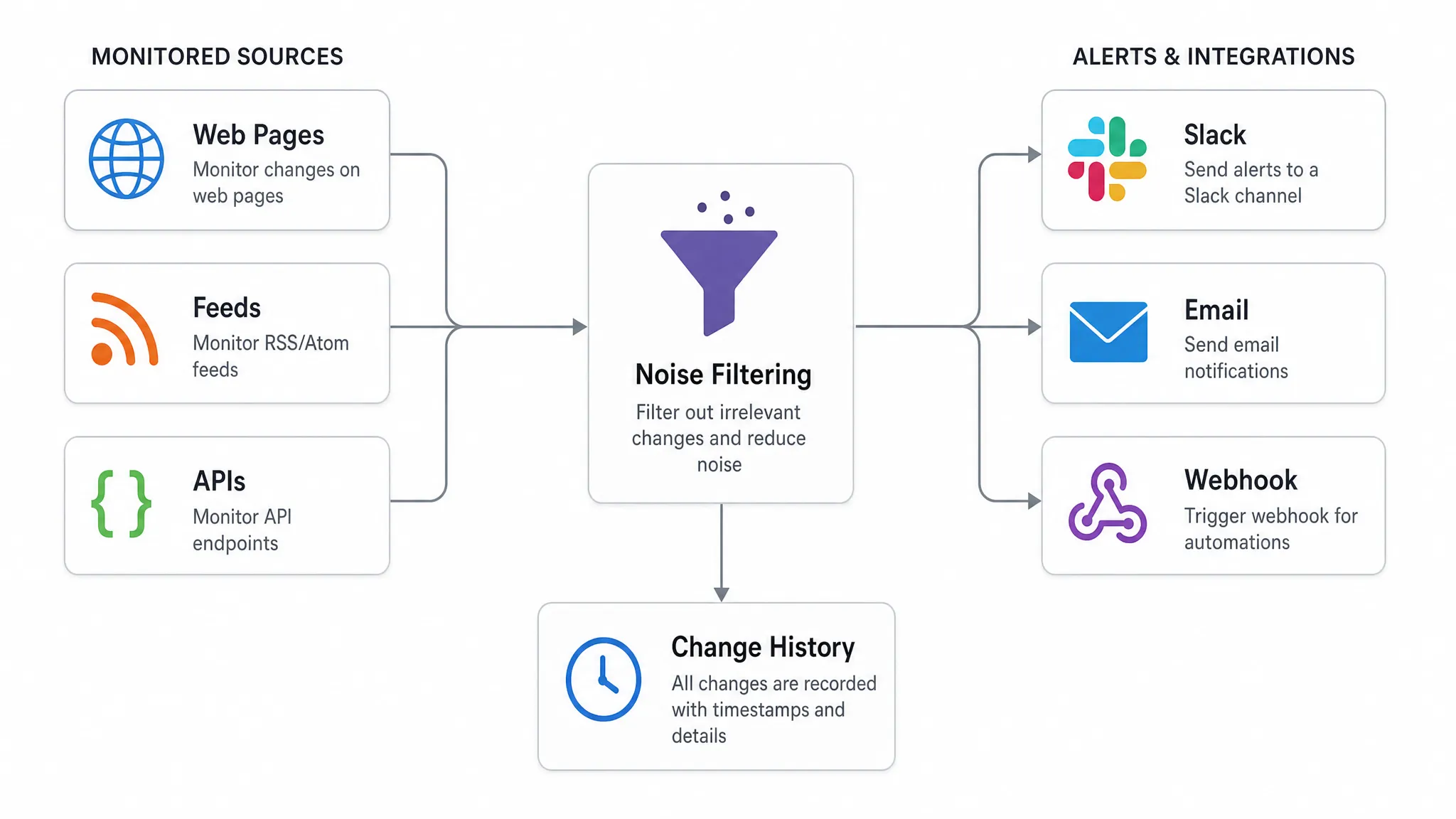
Noise filtering should account for the common sources of irrelevant change: timestamps, ads, pop-ups, stock counters, personalized recommendations, cookie banners, rotating testimonials, and A/B tests. A good setup ignores unstable sections and focuses on the parts of the page that map to your defined change signal.
It also helps to classify alerts by severity. A competitor changing a headline may be informational. A supplier changing a refund policy may require review. A pricing drop on a key competitive product may need immediate action from sales or revenue operations.
Send alerts to the right workflow
A monitor is only useful if the alert reaches someone who can act. Email may be enough for low-volume changes. For operational teams, Slack alerts or workflow integrations can make the difference between “we saw it today” and “we responded in five minutes.”
The alert should give the recipient enough context to decide what to do without opening five tools. At minimum, include the monitored page, the detected change, the timestamp, and the severity. For higher-risk pages, include the owner and expected next step.
| Alert detail | Why it matters |
|---|
| Page or source URL | Confirms what changed |
| Before and after view | Shows the exact difference |
| Time detected | Helps reconstruct sequence and impact |
| Severity or label | Prevents every alert from feeling equal |
| Owner or channel | Reduces handoff delays |
| Change history link | Supports review, escalation, and audits |
For engineering and operations teams, webhooks are especially useful because they can trigger downstream workflows. A detected change can create a ticket, update an internal dashboard, notify an incident channel, or trigger a review process.
Keep a full change history
Instant alerts help teams respond now. Change history helps them understand what happened later.
A full history is valuable when you need to investigate when a policy changed, prove that a vendor updated a page, review how often a competitor adjusts prices, or understand whether a page has been unstable over time. It also protects against the common problem of seeing a change after the page has already changed again.
For compliance, procurement, legal, and revenue teams, the question is not only “Did we get an alert?” It is also “Can we show what changed and when?”
Test monitors before relying on them
Once monitoring is configured, validate it. Do not assume the first setup is perfect.
Start by checking whether the monitor captures the specific section you care about. Then confirm that alerts reach the correct people. If possible, test with a known change on a page you control or a non-production source. Finally, review the first week of alerts to identify noise patterns.
Monitoring should be treated as an operational process, not a one-time setup. Pages evolve, websites redesign templates, APIs add fields, and teams change responsibilities. A quarterly review of critical monitors can prevent silent gaps.
Practical playbooks for critical page monitoring
Different teams need different monitoring patterns. The best setup depends on what action follows the alert.
Pricing and competitive intelligence
When monitoring pricing pages, focus on plan names, price points, discount language, contract terms, and packaging changes. The alert should go to the team that can interpret market impact, such as product marketing, sales enablement, or revenue operations.
Avoid overreacting to temporary promotional banners unless those promotions matter to your pricing strategy. Tagging alerts by competitor, product line, or region can make later analysis much easier.
Legal and policy monitoring
For terms of service, privacy policies, refund policies, and SLAs, precision matters. A small wording change can have significant implications. Monitor the body of the policy, not the entire page shell.
Alerts should go to a legal, compliance, or operations owner who can decide whether the change requires review. A preserved before-and-after record is especially important here because policies can be edited again after the initial change.
Vendor and procurement monitoring
Vendor pages often contain information that affects contracts, security reviews, support obligations, and procurement decisions. Examples include security documentation, subprocessors, support policies, uptime commitments, and integration requirements.
These pages rarely change on a predictable schedule. Monitoring helps procurement, security, and IT teams avoid surprises during renewals or incidents.
Feed and API monitoring
Not every critical change appears on a visible page. Some of the most operationally important changes happen in feeds and APIs. A missing field, renamed value, altered schema, or changed response behavior can break workflows quickly.
For APIs and feeds, monitor both availability and content structure. If an endpoint powers internal operations, alerts should route to the team that owns the dependent workflow, not just the team that owns the monitoring tool.
Common mistakes to avoid
The most common mistake is monitoring too broadly. Watching an entire page when only one table or paragraph matters creates noisy alerts. The second mistake is sending every alert to one general inbox. If nobody owns the response, the alert is just another notification.
Another issue is ignoring authentication, regional content, and personalization. Some pages show different content by location, account type, or logged-in state. If those differences matter, your monitoring setup should reflect the version your team actually depends on.
Finally, avoid aggressive or careless monitoring. Track pages you have a legitimate need to monitor, respect access controls, and use reasonable request patterns. Critical monitoring should be reliable and responsible.
How DiffHook helps teams monitor critical web changes
DiffHook is built for teams that need to know the moment important web changes happen. It monitors pages, prices, policies, feeds, and APIs, then alerts teams when critical updates occur.
For business-critical monitoring, the most useful capabilities are not just detection. Teams also need smart noise filtering, fast alert delivery, Slack and email notifications, webhook and workflow integrations, and a full change history. DiffHook supports those workflows so teams can move from “someone should check that page” to a repeatable monitoring process.
For organizations with governance requirements, DiffHook also provides SSO and role access, reliable delivery with audit trails, and an EU hosting option.
FAQ
What is the best way to monitor a web page for changes? The best approach is to define the exact change that matters, monitor the relevant page element or structured source, filter out noise, and send alerts to the team that can act. For critical changes, use a monitoring platform with alert history and workflow integrations.
How often should I check a critical web page? It depends on business impact. Pages tied to pricing, compliance, customer commitments, or operational workflows may need real-time alerts. Lower-risk pages can often be checked hourly, daily, or weekly.
Can I monitor only part of a web page? Yes. In many cases, monitoring a specific section, text block, table, or price field is better than monitoring the entire page. This reduces false alerts from ads, layout changes, timestamps, and other irrelevant updates.
Should I monitor APIs and feeds as well as web pages? Yes, if your business depends on them. Feeds and APIs can change in ways that never appear visually on a page, such as schema changes, missing fields, new values, or altered response behavior.
Why is change history important? Change history helps teams review what changed, when it changed, and how often it changed. It is useful for audits, incident reviews, vendor management, pricing analysis, and compliance investigations.
Know when critical web pages change
Critical web changes should not depend on manual checks, scattered screenshots, or someone noticing at the right time. With a clear monitoring strategy, your team can detect important updates faster, reduce noise, and keep a reliable record of every change.
If pricing, policies, pages, feeds, or APIs affect your revenue, compliance, or operations, DiffHook helps you monitor them in real time and alert the right people the moment something changes.