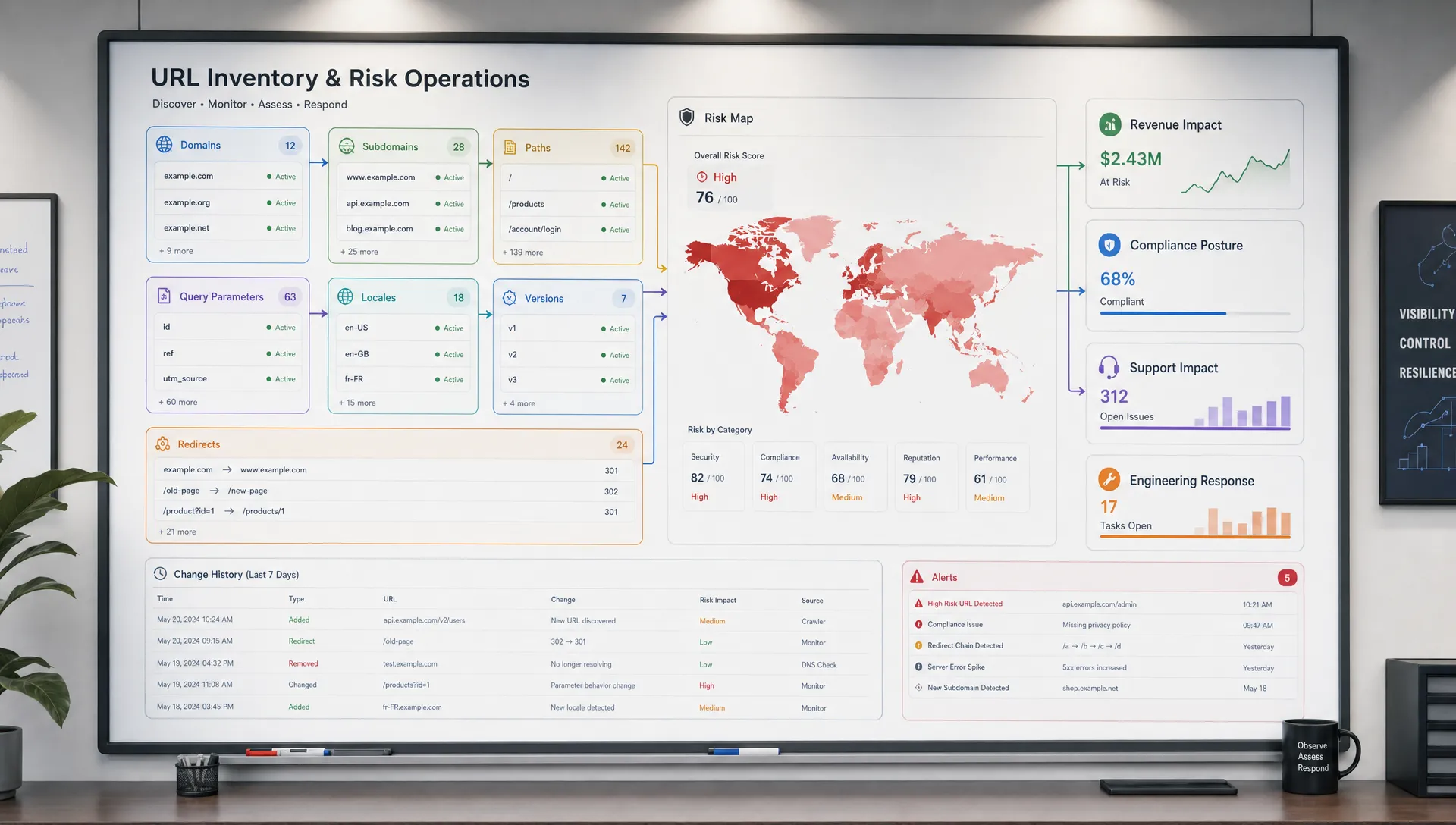
A web URL looks simple on the surface. It points to a page, a feed, an API endpoint, or a file. But for revenue, compliance, customer experience, and operations teams, a URL is also a compact risk signal.
The domain can reveal ownership. The path can reveal business intent. The query string can expose experiments, pricing logic, region rules, or customer segments. Redirects can show that traffic is being rerouted. Even small URL changes can point to larger shifts in product packaging, policy language, support flows, or technical dependencies.
In other words, a web URL is not just an address. It is a map of where your business depends on the public web, and where change can create exposure.
A web URL is a business dependency
Every URL has structure. That structure is useful because it often reflects how an organization thinks about products, customers, regions, workflows, and systems.
A pricing page path may include a plan name. A help center article may include a category and topic. An API endpoint may include a version. A policy page may include a locale or effective date. These pieces are not guaranteed to tell the whole story, but they help teams decide what deserves closer monitoring.
| URL component | What it can reveal | Example risk signal |
|---|
| Domain | Brand, vendor, or system ownership | A checkout or support flow moves to a new provider |
| Subdomain | Function or department | billing, support, status, or api indicates operational importance |
| Path | Page purpose, product area, or policy type | /pricing, /terms, /refunds, or /docs/api points to high-impact content |
| Query parameters | Variants, campaigns, filters, plans, or regions | A plan, currency, or experiment parameter changes what users see |
| File or extension | Asset type or machine-readable source | A feed, PDF, JSON response, or JavaScript asset changes unexpectedly |
| Locale segment | Market or language targeting | /en-us, /de-de, or /fr-ca diverges from the approved version |
| Version segment | Product or API release state | /v1 changes to /v2, affecting integrations or documentation |
This is why a URL inventory is more than a technical spreadsheet. It can become a risk register for the pages and endpoints that influence buying decisions, legal obligations, customer promises, and internal workflows.
Ownership risk often appears in the domain and subdomain
The first thing a URL reveals is who likely owns the experience.
A root marketing domain usually belongs to the web or growth team. A checkout subdomain may belong to ecommerce or revenue operations. A support subdomain may be managed by CX, success, or a help desk platform. An API subdomain likely involves engineering. A status page may be operated through a third-party incident communication tool.
This matters because customers experience these URLs as one brand, even when five internal teams or several vendors are involved.
For example, if a returns article changes in the help center, support agents may need updated macros. If a checkout domain redirects to a new flow, paid campaigns may start sending traffic to a different experience. If an API documentation path changes, developers may follow outdated setup instructions.
Customer-facing URLs deserve special attention in support-heavy businesses. Brands that rely on partners for managed CX teams and help desk implementation still need a clear way to know when help center pages, policy pages, contact flows, and escalation instructions change, because those public pages shape what agents tell customers.
Commercial risk hides in pricing, checkout, and plan URLs
Some URLs are directly connected to revenue. Pricing pages, plan comparison pages, checkout steps, coupon pages, trial signup flows, and billing documentation are obvious examples.
The URL can reveal more than the visible headline. It may show plan names, subscription tiers, currencies, billing intervals, geographic targeting, or promotional logic. A path such as /pricing/pro signals a specific offer. A query parameter such as currency or interval may change what a visitor sees. A redirect from an old plan page to a new packaging page may indicate that customers are being moved into a different buying journey.
These changes can create risk in several ways:
- Sales teams quote outdated terms because public plan pages changed first.
- Paid campaigns route visitors to a deprecated offer.
- Competitor pricing shifts before the market team notices.
- Checkout language changes and affects conversion or refund expectations.
- Partner pages update discounts, availability, or eligibility rules.
A URL does not prove the business impact by itself. But it tells you where to look. When the changed URL contains pricing, billing, discount, quote, trial, or checkout language, it should rarely be treated as a low-priority content update.
Policy and compliance exposure is visible in path names
Policy URLs are some of the clearest examples of URL-level risk. Paths that contain terms, privacy, cookies, refunds, returns, data processing, accessibility, acceptable use, security, or service-level language often point to obligations that customers, regulators, auditors, or partners may rely on.
A policy page can change without fanfare. A footer link can start pointing to a new version. A PDF can be replaced. A locale-specific policy can diverge from the master version. A query parameter can serve a different version to visitors in a certain region.
For compliance teams, the issue is not only knowing that a change happened. It is knowing what changed, when it changed, and what the prior version said. That is why website change history matters for compliance, especially when public language becomes part of an audit trail, customer dispute, or internal review.
The URL structure can help teams prioritize. A blog post update may be routine. A change to /legal/privacy, /terms, or /security/dpa deserves a different response path.
Localization and market drift show up in URL patterns
Many businesses operate across regions, currencies, and languages. Their URLs often reflect that structure through locale folders, country-specific subdomains, or query parameters.
This creates a subtle form of risk: market drift.
One region may get a pricing update before another. A refund policy may be corrected in English but not in German. A shipping page may mention one delivery promise in the United States and a different one in Canada. A currency parameter may expose a price change that is not reflected on the main pricing page.
The URL gives teams a way to map these variations. Instead of treating the website as one page, teams can treat it as a network of market-specific commitments. That is especially important for legal, ecommerce, marketplace, SaaS, and consumer brands where local language can create local obligations.
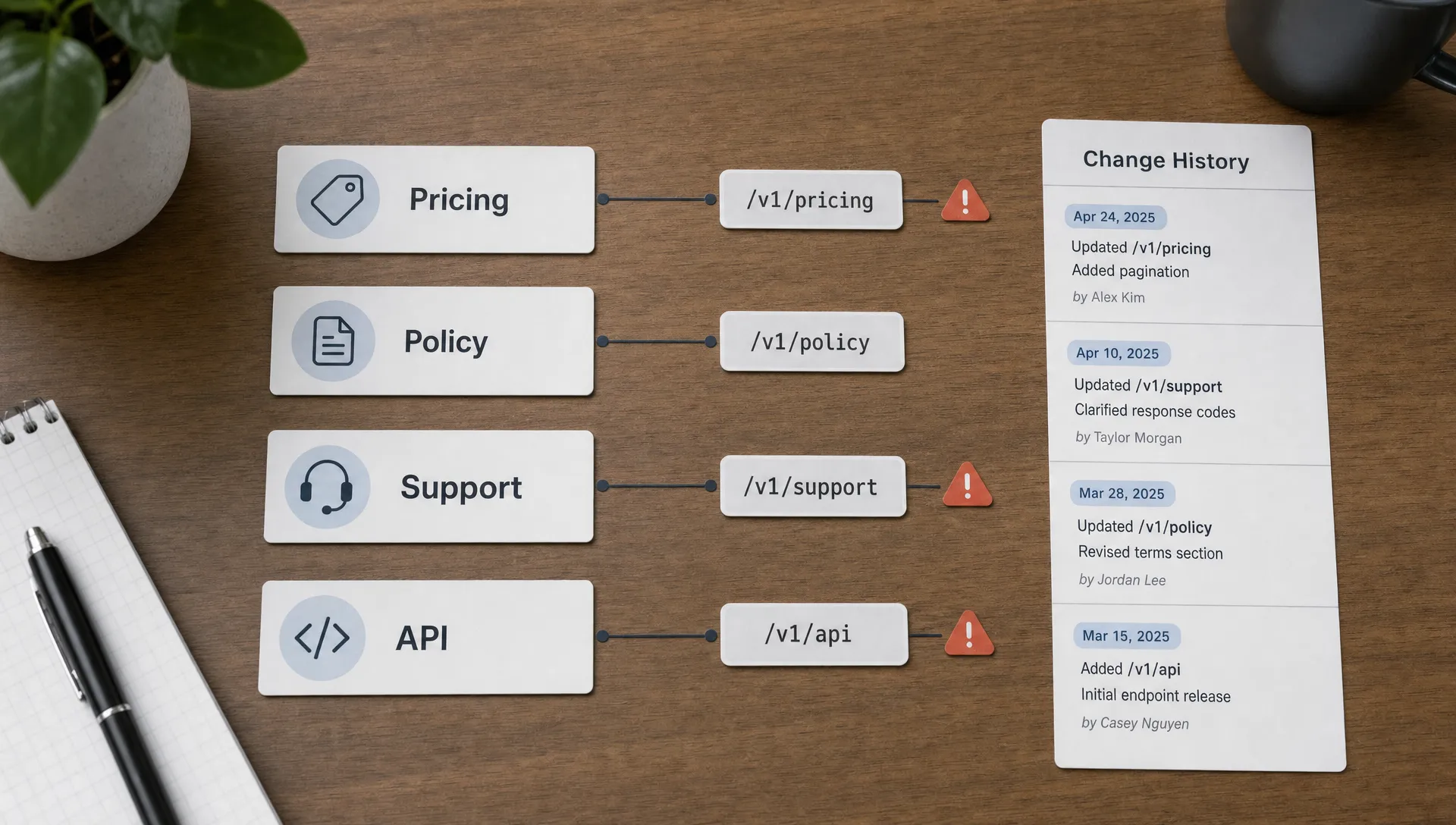
Hidden change lives behind feeds, APIs, assets, and redirects
Not every meaningful change happens on a visible web page.
A product feed URL can change inventory, price, title, image, or availability. An API endpoint can return a new field, remove a value, or shift response structure. A sitemap can add or remove important pages. A redirect can quietly reroute traffic. A downloadable PDF can be replaced while keeping the same link. A JavaScript asset can change the behavior of a checkout or signup flow.
This is where URL-level monitoring becomes more than page watching. Teams may need to track pages, feeds, APIs, and files together, then route changes into workflows that engineering, revenue operations, legal, or support can act on. When alerts alone are not enough, structured change data becomes valuable, especially for teams that need an API for websites, not just alerts.
The URL is the starting point, but the response depends on the source type. A policy page may need a legal review. A product feed change may need an ecommerce check. An API response change may need an integration test. A redirect change may need analytics, SEO, and paid media review.
A practical URL risk matrix
A simple matrix can help teams decide which URLs deserve real-time alerts, daily review, or historical tracking only.
| URL category | Common examples | Primary risk | Suggested response |
|---|
| Revenue pages | Pricing, checkout, plans, coupons | Lost conversion, wrong offer, margin impact | Alert revenue, growth, or ecommerce teams quickly |
| Policy pages | Terms, privacy, refunds, security, DPA | Compliance exposure or customer disputes | Preserve change history and route to legal or compliance |
| Support pages | Help center, contact, returns, troubleshooting | Agents or customers use outdated instructions | Notify CX, support ops, or knowledge managers |
| Product data | Feeds, catalogs, availability, specs | Incorrect listings or operational blind spots | Alert merchandising, ops, or integrations teams |
| API and docs | Endpoints, docs, schemas, changelogs | Broken workflows or developer confusion | Route to engineering or platform owners |
| Traffic control | Redirects, canonicals, sitemaps | SEO, campaign, or attribution disruption | Notify web, SEO, and performance marketing teams |
The point is not to monitor everything with the same urgency. The point is to connect URL patterns to business impact. A change to a low-traffic blog tag page is not the same as a change to a checkout redirect or privacy policy.
How URL changes become incidents
URL changes often look small until they collide with a workflow.
A support team may keep sending customers to a help article whose slug now redirects to a broader category page. The customer cannot find the exact return instructions, so ticket volume rises.
A paid search campaign may link to an old pricing URL that now redirects to an annual-only plan page. Conversion drops, but the campaign dashboard only shows symptoms.
A partner feed may change a product availability field. The ecommerce site keeps showing items as in stock because the integration did not expect the new value.
A policy page may be updated for one region but not another. The legal team assumes the approved language is live everywhere, while customers in a specific locale see older wording.
In each case, the URL is the thread that connects the public change to the internal consequence. Teams that track those threads can respond before the issue becomes a customer complaint, revenue miss, or audit problem.
How to monitor URL-level risk without drowning in noise
The biggest mistake is treating every change as equally important. Modern websites are noisy. Ads rotate, timestamps update, recommendations refresh, and scripts change frequently. Useful monitoring starts with deciding which URLs matter and what kind of change should trigger action.
A practical process looks like this:
- Inventory critical URLs first: Start with pricing, checkout, legal, support, feeds, API endpoints, status pages, and high-value partner pages.
- Tag each URL by owner and risk type: Assign labels such as revenue, compliance, CX, engineering, SEO, or operations so alerts go to the right team.
- Choose the right change signal: Use full-page, element-level, visual, feed, or API monitoring depending on what the URL represents.
- Filter predictable noise: Ignore timestamps, rotating recommendations, ads, tracking parameters, or unrelated layout changes when they are not decision-critical.
- Keep the evidence: Store change history so teams can compare versions, investigate incidents, and prove what was live at a specific time.
For teams just starting with this workflow, it helps to define what “critical” means before turning on alerts. DiffHook’s guide on how to monitor a web page for critical changes covers this decision-making process in more detail.
Where DiffHook fits
DiffHook is built for teams that need to know the moment important web sources change. It can monitor pages, prices, policies, feeds, and APIs, then send fast alerts through channels such as Slack, email, webhooks, and workflow integrations.
The value is not just detection. It is separating meaningful change from noise, preserving full change history, and giving teams an audit trail they can rely on. For organizations with security, access, or data residency requirements, features such as SSO, role access, and an EU hosting option can also support operational governance.
When you treat URLs as business dependencies, monitoring becomes more strategic. You are no longer asking, “Did a page change?” You are asking, “Did something change that affects revenue, compliance, customer experience, or operations?”
That is the difference between watching the web and managing web risk.
Frequently Asked Questions
What can a web URL reveal about business risk? A web URL can reveal ownership, page purpose, region, product area, version, policy type, pricing logic, or technical dependency. These signals help teams identify which pages, feeds, and APIs are most likely to affect revenue, compliance, support, or operations.
Why should teams monitor URL changes instead of only page content? Content is only one layer of change. Redirects, query parameters, feeds, API responses, PDFs, and assets can change without obvious visible edits. Monitoring URL-level behavior helps teams catch hidden changes that still affect customers and workflows.
Which URLs should be monitored first? Start with URLs tied to pricing, checkout, legal policies, support documentation, product feeds, APIs, status pages, and major traffic paths. These sources usually have the highest business impact when they change.
How do you reduce false alerts when monitoring URLs? Focus on meaningful elements, filter predictable noise, normalize tracking parameters where appropriate, and route alerts by risk category. The goal is not to alert on every pixel or timestamp, but to catch changes that require action.
Turn critical URLs into reliable change signals
If pricing pages, policy language, support articles, feeds, or APIs drive your business, they should not be monitored manually or discovered through customer complaints.
DiffHook helps teams track the web sources that matter, filter noise, receive real-time alerts, and preserve the history needed for audits and investigations. Use it to turn high-risk URLs into monitored signals your team can trust.