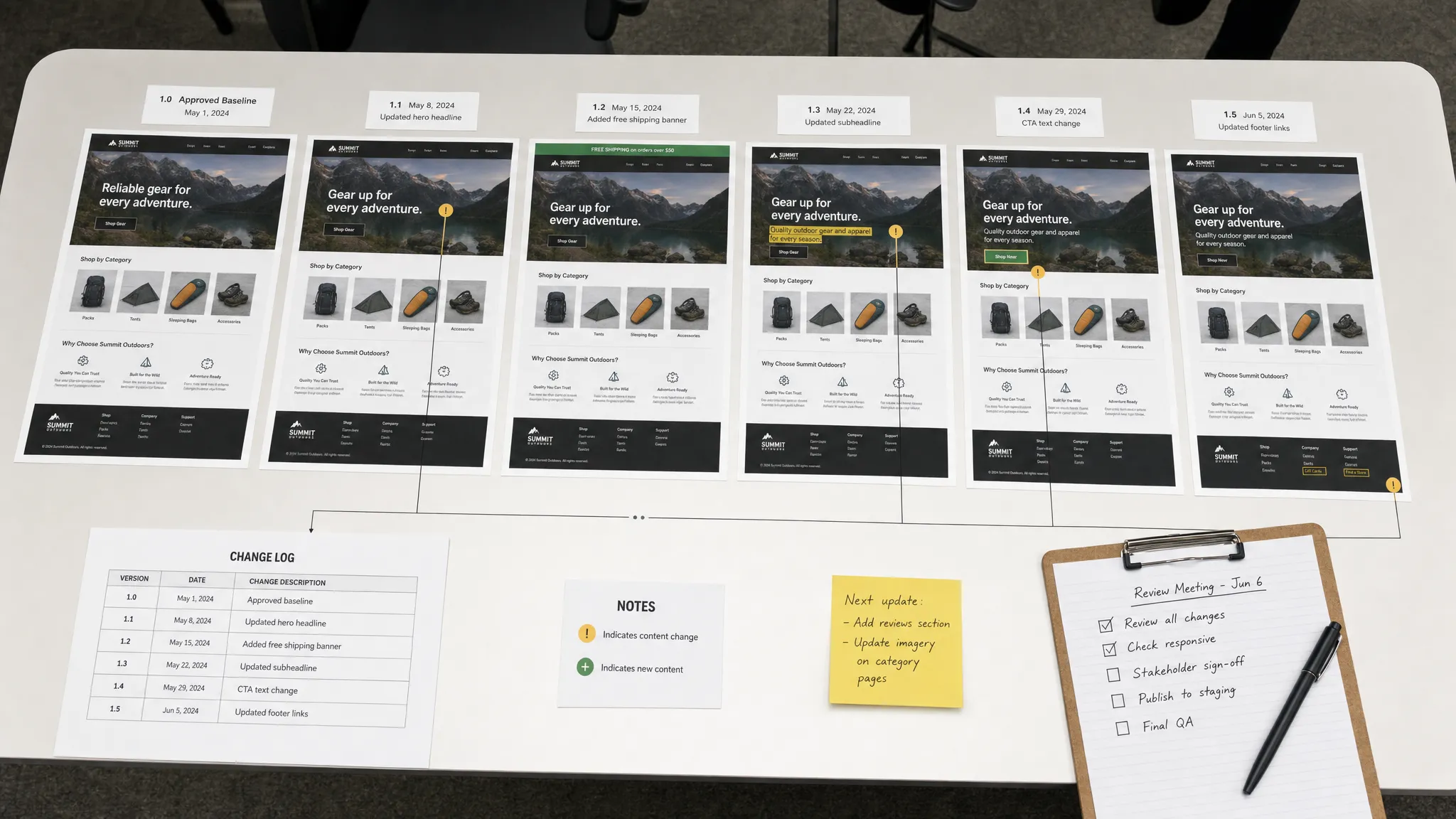
Comparing website page content over time is not just a way to see what changed. It is a way to understand whether a page still matches your approved pricing, policies, messaging, compliance language, product details, and operational expectations.
A one-time page check answers a narrow question: what does the page say right now? A historical comparison answers the questions that usually matter more: what changed, when did it change, who needs to know, and whether the current version is still safe to leave live.
For revenue, compliance, marketing, product, legal, and operations teams, that history is the difference between noticing a problem after customers do and catching it while there is still time to act.
Why comparing page content over time matters
Website pages are no longer static brochures. They are living systems connected to CMS updates, pricing tools, localization workflows, product feeds, A/B tests, legal reviews, campaign launches, and third-party scripts. That makes them useful, but it also makes them fragile.
A small page edit can change a conversion claim, remove a required disclaimer, publish outdated pricing, or expose an offer before launch. In many companies, these changes happen across multiple teams and tools, which means the people accountable for the outcome may not be the people making the edit.
Comparing website page content over time creates a clear record of how a page evolved. It helps teams:
- Verify that live pages match approved messaging or policy language.
- Spot unauthorized or accidental edits quickly.
- Investigate revenue drops, support spikes, or compliance concerns.
- Prove what content was live at a specific time.
- Understand whether recurring edits are part of a pattern.
This is especially important for pages that directly influence customer decisions, such as pricing pages, terms and conditions, product pages, checkout flows, help articles, offer pages, and partner landing pages.
What counts as website page content?
When people think about page content, they often think about visible text. That is only one layer. A useful comparison process should define which parts of a page matter to your team and which changes are just noise.
| Content layer | Examples | Why it matters over time |
|---|
| Visible copy | Headlines, body text, FAQs, disclaimers, CTAs | Shows what customers, prospects, or regulators can actually read |
| Commercial details | Prices, discounts, plan names, availability, fees | Impacts revenue, customer expectations, and sales alignment |
| Legal or policy language | Terms, privacy notices, cancellation rules, eligibility | Supports compliance review and auditability |
| Structured content | JSON-LD, tables, embedded data, product specs | Feeds search engines, internal systems, and comparison tools |
| Metadata | Title tags, meta descriptions, canonical tags, robots rules | Affects search visibility and page discoverability |
| Visual layout | Hero sections, banners, hidden or removed blocks | Reveals changes that text-only comparison may miss |
| Feed or API output | Product feeds, pricing APIs, CMS endpoints | Shows upstream changes before they appear on pages |
The best comparison setup usually combines several of these layers. For example, a pricing page may need text comparison for plan descriptions, structured comparison for price values, and visual comparison for promotional banners.
Choose the right comparison method
There is no single best way to compare page content over time. The right method depends on the type of change you need to catch and the level of precision required.
Full-page text comparison
A full-page text comparison captures the readable text on a page and compares it with an earlier version. This is useful for terms pages, policy pages, documentation, editorial content, and product descriptions.
The advantage is coverage. You can quickly see added, removed, or modified text. The weakness is noise. Navigation labels, footer updates, related article widgets, and rotating content can create changes that are technically real but not important.
Element-level comparison
Element-level comparison focuses on specific page sections, such as a pricing table, eligibility paragraph, CTA, headline, stock status, or legal disclaimer. This is often the most practical approach for business-critical pages because it ignores the parts of the page you do not care about.
For example, instead of comparing an entire product page, you might monitor only the product name, price, availability, warranty language, and purchase button text.
Visual comparison
Visual comparison uses screenshots or rendered page views to detect layout and design changes. This helps catch issues that text comparison may miss, such as a missing banner, a hidden CTA, a broken layout, or a promotional module appearing in the wrong region.
Visual diffs are helpful for marketing, ecommerce, and brand-sensitive pages. They can also be noisy if pages contain carousels, ads, personalization, or time-based content, so they work best when paired with thresholds or ignored regions.
Structured data comparison
Structured comparison extracts known fields and compares the values over time. This works well for prices, SKUs, product attributes, plan limits, feed values, API responses, and tables.
If the question is whether the price changed from 49 to 59, a structured comparison is cleaner than a screenshot or full-page text diff. Pricing teams that need a deeper workflow can use a dedicated process to track web page price changes automatically and route alerts to the right owner.
HTML and metadata comparison
HTML comparison is useful when hidden changes matter. A page may look the same to visitors while its canonical tag, schema markup, noindex rule, tracking code, or form action changes. These changes can affect SEO, analytics, attribution, compliance, and lead routing.
This method is especially useful for SEO, growth, and web operations teams that need to catch changes before they appear in performance reports.
Build a reliable comparison workflow
A good comparison workflow is not just a tool that says something changed. It is a repeatable process that turns page changes into decisions.
Start with a page inventory
List the pages that carry business risk. Group them by owner, page type, region, language, and impact. You do not need to monitor every page the same way. A homepage banner, a privacy policy, a pricing table, and a support article each need different comparison rules.
Common high-value pages include pricing, checkout, product detail pages, terms, privacy policies, service-level pages, campaign pages, knowledge base articles, investor pages, and integration documentation.
If you are expanding beyond a small set of critical URLs, it helps to create a structured inventory first. DiffHook has a separate guide on how to track content on website pages at scale, which is useful when page ownership, templates, or regions start multiplying.
Define meaningful changes before you monitor
The biggest mistake is treating every difference as equally important. A timestamp changing in the footer is not the same as a cancellation policy changing. A rotating testimonial is not the same as a price increase.
Before you start comparing versions, define what should trigger review. For each page type, decide whether you care about copy edits, numeric changes, deleted sections, new links, form changes, metadata updates, visual shifts, or API values.
This definition becomes the foundation for noise filtering. It also prevents alert fatigue, which is one of the main reasons monitoring programs fail.
Capture a clean baseline
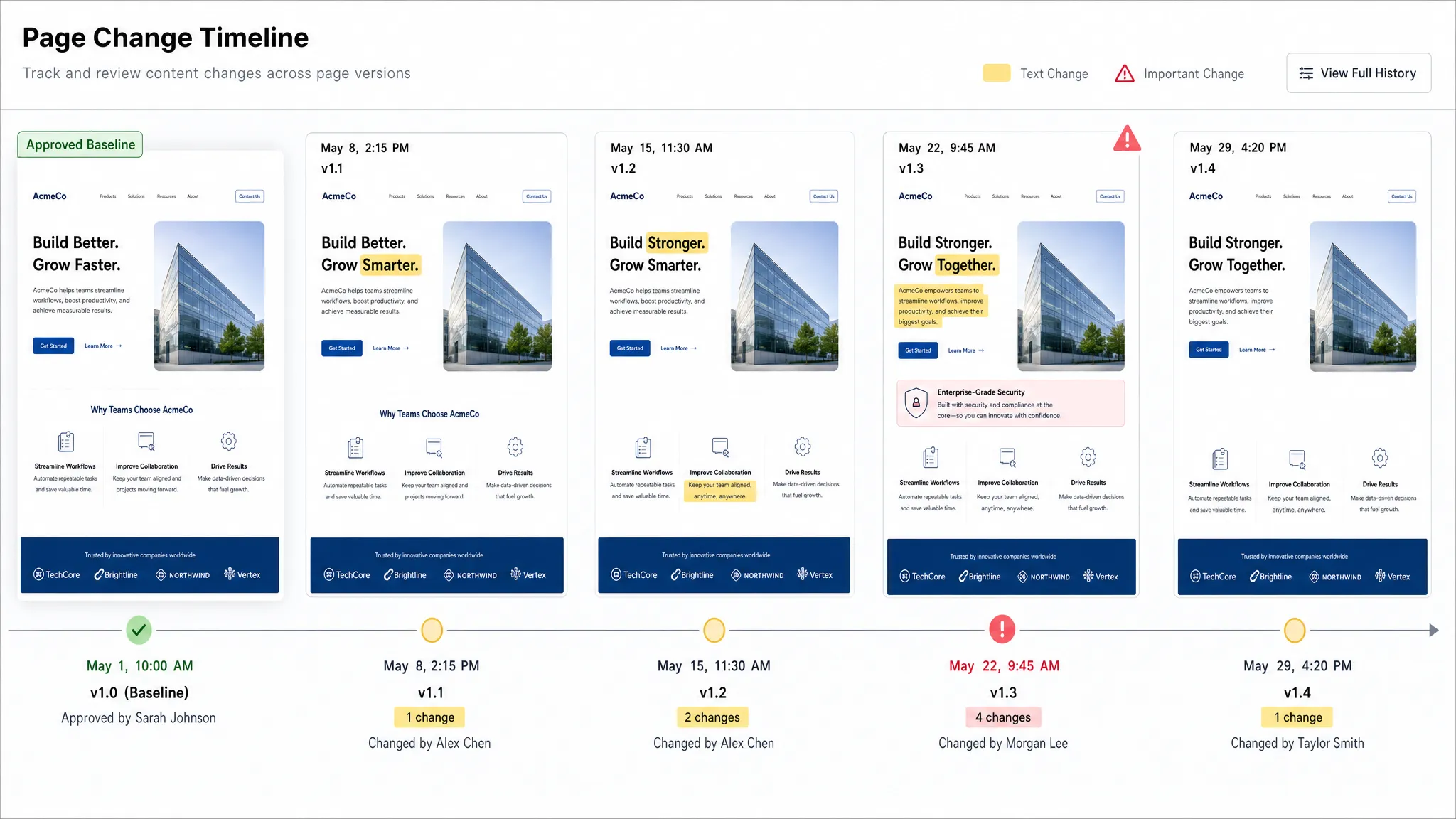
A baseline is the version you compare future changes against. For critical pages, the baseline should usually be an approved version, not just the first version your tool happened to capture.
For example, legal may approve a terms page on Monday. Marketing may approve a campaign landing page before launch. Product may approve a feature comparison table before a release. Those approved versions should become reference points.
The baseline should include a timestamp and, where possible, context about why it was approved. That context becomes valuable during incident review or compliance audits.
Compare current, previous, and approved versions
Most teams need more than one comparison view. Comparing the current version to the immediately previous version shows the latest edit. Comparing the current version to the approved baseline shows drift over time. Comparing two historical versions helps investigate when a problem first appeared.
These perspectives answer different questions:
| Comparison view | Best for | Example question |
|---|
| Current vs previous | Recent change detection | What changed since the last check? |
| Current vs approved baseline | Governance and compliance | Does the live page still match what was approved? |
| Historical version vs historical version | Investigation | When did this risky language first appear? |
| Page vs feed or API | Source consistency | Does the page match the underlying system of record? |
| Region vs region | Localization and policy consistency | Are the US and EU versions aligned where they should be? |
This is where a full change history becomes more than a convenience. It gives teams the ability to reconstruct the path from an approved page to the current state.
Route changes to the right owner
A page comparison is only useful if someone acts on it. The person who needs a pricing alert may not be the person who needs a policy alert. A metadata change may belong to SEO. A broken CTA may belong to web operations. A revised claim may belong to legal or product marketing.
Routing should follow ownership and urgency. Slack and email notifications are often enough for human review. Webhooks and workflow integrations can push higher-risk changes into ticketing systems, incident workflows, or internal automation.
For example, teams running omnichannel campaigns with tools like DirectMail.io’s direct mail platform may need to confirm that landing page offers, postal campaign claims, tracking language, and expiration dates stay aligned across print, email, and web experiences. In that case, the comparison workflow should alert the campaign owner when offer copy or terms drift from the approved version.
If speed is the priority, especially for public-facing pages that affect customers immediately, a guide to checking a page for changes in real time can help you think through alert timing, change types, and escalation paths.
What to monitor by page type
Different pages deserve different comparison rules. Monitoring everything the same way creates noise, while monitoring too narrowly creates blind spots.
| Page type | What to compare | Typical owner | Risk of missing a change |
|---|
| Pricing page | Prices, plan names, limits, discounts, footnotes | Revenue, growth, product marketing | Lost revenue, customer confusion, sales friction |
| Terms or policy page | Legal text, dates, jurisdiction language, opt-out rules | Legal, compliance | Compliance gaps, audit issues, customer disputes |
| Product page | Specs, availability, claims, images, CTAs | Product, ecommerce, marketing | Mismatched expectations, conversion loss |
| Campaign landing page | Offer copy, form fields, tracking, expiration dates | Marketing, demand generation | Broken attribution, invalid offers, poor conversion |
| Help article | Instructions, troubleshooting steps, links, screenshots | Support, customer success | Ticket spikes, outdated guidance |
| Documentation | API fields, setup steps, version notes, code examples | Developer relations, product | Integration failures, partner confusion |
This table is not a replacement for judgment. It is a starting point for deciding what content should be compared and who should receive the result.
Common mistakes when comparing website page content
The mechanics of comparing content are straightforward. The operational details are where teams usually struggle.
One common mistake is relying only on manual checks. Manual review can work for a single page before a launch, but it does not scale across dozens or thousands of URLs. It also fails outside business hours, which is often when unexpected changes become hardest to contain.
Another mistake is monitoring the entire rendered page without filtering. If your tool alerts on every carousel change, cookie banner update, footer timestamp, or personalization block, teams will start ignoring alerts. The goal is not to know that anything changed. The goal is to know when something meaningful changed.
A third mistake is keeping no usable history. A notification that says a page changed is helpful for the moment. A timestamped record of what changed, what the old value was, what the new value is, and when it happened is much more useful for audits and investigations.
Finally, some teams only compare visible text and miss upstream sources. A product feed, API response, CMS entry, or structured data layer may change before the page visibly changes. If that source drives customer-facing content, it belongs in the comparison strategy.
When automated comparison becomes necessary
Manual comparisons are acceptable for occasional reviews, such as checking a landing page before launch or reviewing a policy draft before publication. But automation becomes necessary when the page is business-critical, the content changes frequently, or the cost of missing a change is high.
Automated comparison is especially valuable when you need:
- Fast alerts for pricing, policy, or operational changes.
- A reliable archive of page versions.
- Noise filtering that separates meaningful edits from routine updates.
- Monitoring across pages, feeds, and APIs.
- Alert delivery into Slack, email, webhooks, or workflow tools.
- Audit trails for compliance, incident review, or internal governance.
This is the kind of workflow DiffHook is designed to support. It monitors pages, feeds, and APIs, filters noise, sends alerts through common channels, and preserves change history so teams can understand not just that something changed, but how it changed over time.
Frequently Asked Questions
What is the easiest way to compare website page content over time? The easiest way is to capture a baseline version of the page, take recurring snapshots, and use a comparison tool to highlight differences between versions. For important pages, automate the process so changes are detected and routed without manual checking.
Should I compare the whole page or specific sections? Compare the whole page when broad editorial or legal changes matter. Compare specific sections when you care about high-value elements such as pricing tables, disclaimers, CTAs, product specs, or form fields. Section-level monitoring usually creates fewer false alerts.
How often should website page content be compared? It depends on risk. Pricing, checkout, policy, and campaign pages may need near real-time or frequent checks. Lower-risk informational pages may only need periodic review. The more revenue, compliance, or operational impact a page has, the faster the alert should be.
Can dynamic or personalized pages be compared accurately? Yes, but they require careful setup. You may need to ignore rotating sections, compare specific elements, standardize location or device settings, or monitor the underlying feed or API. Otherwise, personalization and dynamic widgets can create noisy comparisons.
What should a page change audit trail include? A useful audit trail should include the page URL, timestamp, previous version, new version, detected differences, alert destination, and relevant owner or workflow status. For regulated or high-risk pages, preserving this history is often as important as the alert itself.
Turn page history into timely action
Comparing website page content over time gives your team the context needed to protect revenue, reduce compliance risk, and avoid operational surprises. The goal is not to watch every pixel. The goal is to detect the changes that matter, preserve the evidence, and notify the right people fast.
DiffHook helps teams monitor pages, prices, policies, feeds, and APIs with real-time alerts, smart noise filtering, workflow integrations, and full change history. If important web changes can affect your business, start by monitoring the pages where a missed edit would hurt most.
Know the moment the web changes. Visit DiffHook to see how real-time website change monitoring can help your team stay ahead of risky updates.