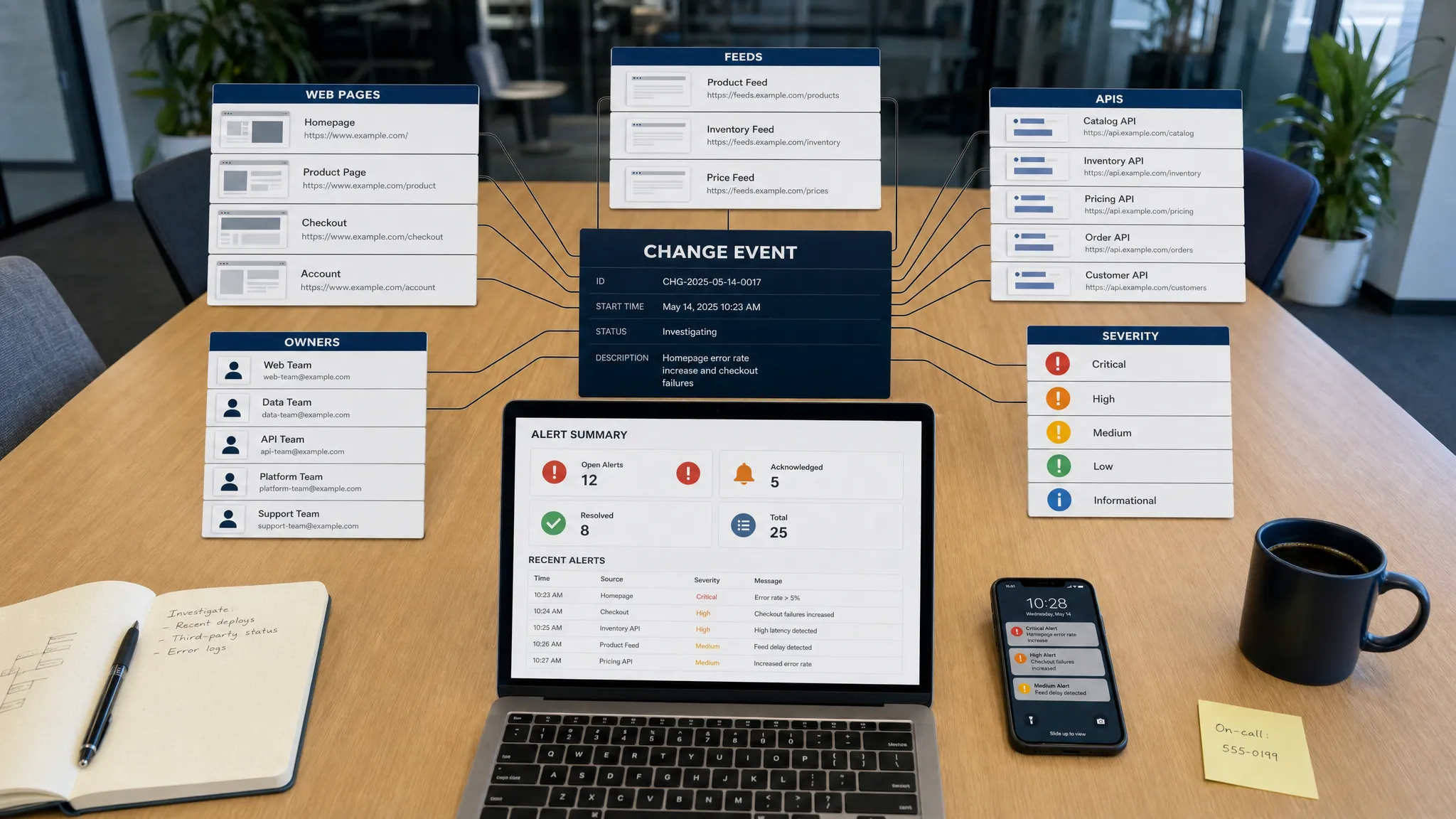
A site change is not always a visible edit on a webpage. It might be a new line in a product feed, a revised policy PDF linked from a legal page, a price update inside rendered JavaScript, or a changed field in a partner API response. If your team only watches finished HTML pages, you will miss many of the changes that affect revenue, compliance, and operations.
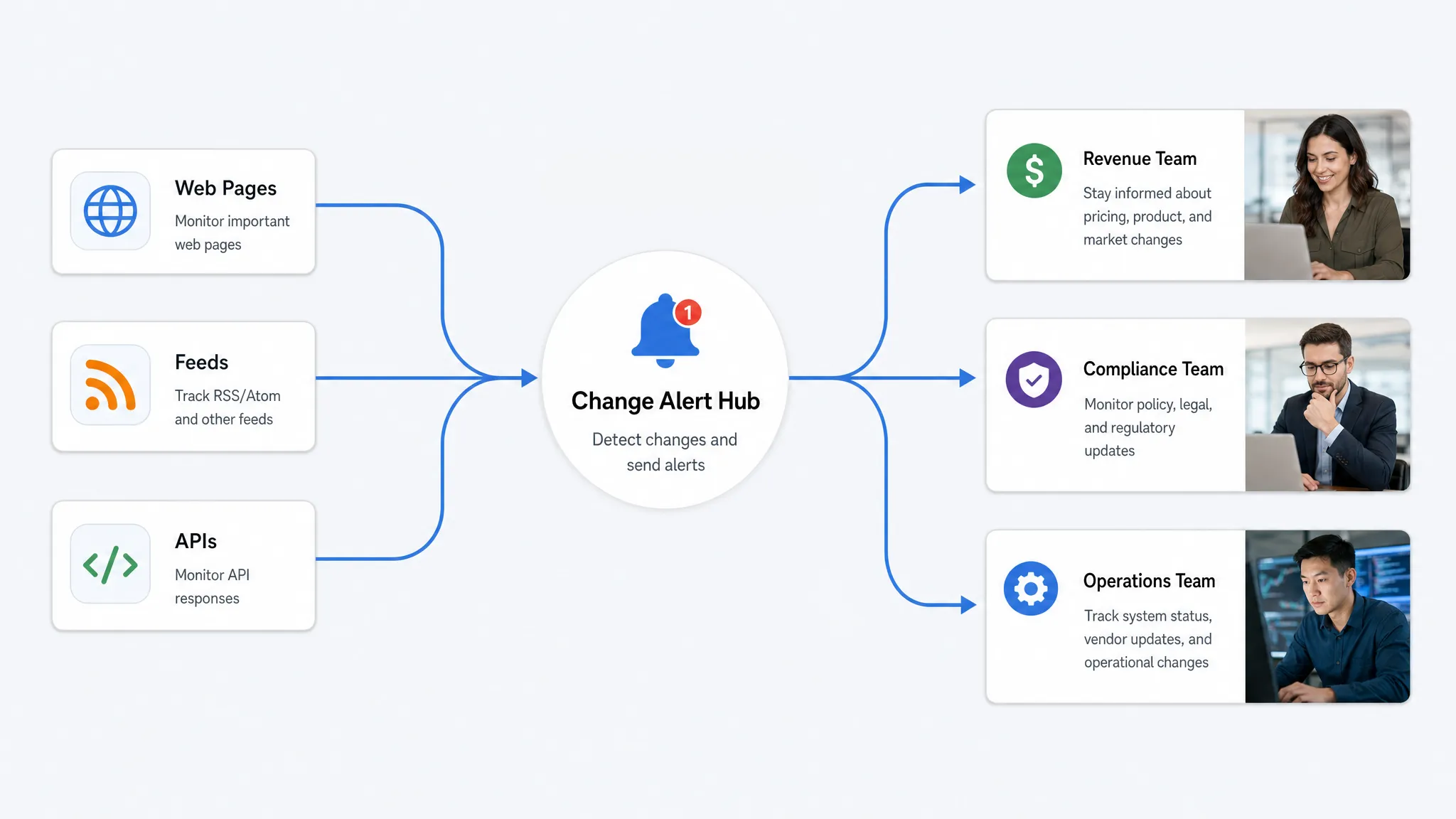
The practical solution is to treat the web as a set of connected sources. Pages, feeds, and APIs each change in different ways, and each needs a slightly different monitoring strategy. The goal is not to detect every pixel movement. It is to catch meaningful site changes fast enough for the right team to act.
Start with a source map, not a URL list
Many monitoring projects begin with someone pasting a few important URLs into a tool. That works for a small test, but it breaks down when your business depends on dozens or thousands of web sources.
A better first step is to build a source map. This is a structured inventory of the places where change can happen, who owns each source, and what type of change matters there. Include pages you control, competitor pages, supplier pages, regulatory pages, partner portals, RSS or Atom feeds, product feeds, sitemaps, API endpoints, and documentation hubs.
For example, an operations team in food production might monitor supplier pages for hygiene guidance, dealer updates, or equipment documentation from contamination-control providers such as IWC International. A SaaS team might monitor competitor pricing pages, app changelog feeds, and API documentation. A compliance team might monitor policy pages, terms, privacy notices, and public regulatory guidance.
| Source type | Common examples | Changes worth catching |
|---|
| Web pages | Pricing pages, policy pages, docs, product pages, partner pages | Text edits, price changes, availability, removed sections, new legal language |
| Feeds | RSS, Atom, XML product feeds, JSON feeds, sitemaps | New items, removed items, stale feeds, changed fields, malformed output |
| APIs | Public APIs, partner APIs, internal endpoints, JSON config endpoints | Changed values, schema changes, status changes, authentication failures, missing fields |
This source map prevents blind spots. It also helps you avoid over-monitoring low-value pages while under-monitoring the sources that actually drive risk.
Define what counts as a meaningful change
Catching site changes is only useful if the alerts are actionable. A rotating testimonial, an updated timestamp, or an A/B test variation should not trigger the same response as a new cancellation policy or a competitor price drop.
Before setting up monitors, define change rules by business impact. Revenue-sensitive changes include prices, discounts, product availability, plan limits, shipping terms, and competitor offers. Compliance-sensitive changes include privacy policy language, terms of service, accessibility statements, data processing terms, and regulatory notices. Operational changes include supplier documentation, API response changes, feed failures, status updates, and workflow instructions.
A simple severity model is enough for most teams:
- Critical: A change that could affect revenue, compliance, customer trust, or production operations immediately.
- Important: A change that should be reviewed soon but does not require instant escalation.
- Informational: A change that should be recorded for history but may not need a human alert.
The more specific your rules are, the less noise your team will receive. If pricing is a core concern, the rules should focus on the exact price element, currency, discount wording, plan name, and availability state. Diffing the full page will usually create too many false positives. For a deeper pricing-specific workflow, DiffHook’s guide to tracking web page price changes automatically covers how to narrow alerts around revenue-impacting fields.
Catch changes on web pages
Web pages are the most visible source of change, but they are also the messiest. Modern pages often include dynamic content, personalization, cookie banners, lazy-loaded sections, embedded widgets, and front-end experiments. A reliable monitor needs to compare the right part of the page, not just the whole document.
For stable pages, text comparison is often enough. This works well for policies, documentation, terms, FAQs, and product descriptions. For structured sections, element-level monitoring is more precise. You can watch a price block, availability label, table row, legal clause, or CTA area while ignoring navigation, ads, and unrelated layout changes.
Visual comparison can be useful when layout or design changes matter, such as checkout pages, landing pages, or partner portals where a removed button could affect conversions. HTML or metadata comparison is better when hidden changes matter, such as canonical tags, schema markup, Open Graph fields, or embedded JSON data.
If you are starting with page-level monitoring, choose a small set of critical pages first and define what should trigger a response. DiffHook’s article on how to monitor a web page for critical changes is a useful companion if your first priority is high-risk pages rather than feeds or APIs.
Catch changes in feeds
Feeds are easier to parse than visual pages, but they fail in different ways. RSS, Atom, XML, JSON, and product feeds can silently stop updating, duplicate items, remove entries, change identifiers, or publish malformed data. If your marketplace, content, inventory, or syndication workflow depends on a feed, freshness matters as much as field-level change.
Useful feed monitoring usually checks four things: whether new items appear, whether existing items change, whether expected items disappear, and whether the feed remains valid. For a product feed, a changed price, SKU, image URL, category, or availability value may matter. For a content feed, a new post, changed title, removed article, or republished date may matter. For a sitemap, newly added or removed URLs can reveal site structure changes before they are visible elsewhere.
Feed monitoring should also include stale-feed detection. A feed that has not changed in a week might be perfectly normal for a legal updates feed, but it might be a serious problem for an inventory feed that usually updates every hour. Baselines are important because “no change” can be a change when freshness is expected.
Catch changes in APIs
APIs often carry the most operationally important changes, but they are easy to overlook because they are not visible in a browser. An API change might alter a price, remove a field, change a response format, introduce a new enum value, return a different status code, or break authentication.
Monitoring APIs requires more structure than page monitoring. Instead of comparing raw responses only, define the JSON paths, headers, status codes, and schemas that matter. A partner catalog endpoint might need checks for product availability, cost, minimum order quantity, and currency. A configuration endpoint might need checks for feature flags or regional settings. A public documentation API might need checks for endpoint additions, deprecations, and response examples.
API monitors should also account for context. Some endpoints require query parameters, pagination, authentication, or specific headers. If you monitor only the first page of a paginated API, you may miss changes deeper in the result set. If you ignore schema, you may detect value changes but miss a breaking structural change.
Turn detections into change events
The best monitoring systems do more than say “something changed.” They turn raw detections into structured change events. A change event should explain what changed, where it changed, when it changed, how severe it is, and who should review it.
For example, “pricing page changed” is vague. “Competitor Pro plan price changed from $49 to $59 on the pricing table at 10:14 UTC” is actionable. The second version can be routed to revenue operations, logged for history, and reviewed later with full context.
A useful event record includes the source, before-and-after values, timestamp, comparison method, severity, owner, and delivery status. This is especially important for compliance and operational teams that need an audit trail, not just a Slack message. If you want to think more deeply about this layer, DiffHook’s explanation of change events for monitoring and automation breaks down why structured events are the bridge between detection and action.
Reduce noise without hiding risk
Noise is the main reason monitoring programs fail. Teams start with good intentions, then alerts pile up from cookie banners, rotating modules, timestamps, personalization, and minor layout shifts. Eventually people mute the channel, and the next important change gets missed.
Noise filtering should be intentional. Ignore known volatile regions such as ads, recommendation widgets, session IDs, and timestamps. Normalize whitespace, currency formatting, and tracking parameters where appropriate. Use thresholds for small numeric changes, but avoid thresholds that hide legally or financially meaningful edits.
Filtering should also be source-specific. A one-word change in a privacy policy may be important, while a one-word change in a blog sidebar may not matter. A missing API field may be critical, while a reordered JSON array may be harmless. The right filter depends on the business meaning of the source.
Route alerts to the team that can act
Catching site changes quickly is only half the workflow. The alert has to reach someone who can interpret it and respond. A pricing change should go to revenue, ecommerce, or competitive intelligence. A policy change should go to legal or compliance. A feed failure should go to operations or engineering. An API schema change should go to the integration owner.
| Change type | Likely owner | Best alert path |
|---|
| Competitor price update | Revenue, sales, ecommerce | Slack or email with before-and-after price |
| Privacy or terms change | Legal, compliance | Email plus audit history |
| Product feed failure | Operations, engineering | Slack or webhook to workflow tool |
| API schema change | Engineering, integrations | Webhook with response sample and affected fields |
| Supplier documentation update | Operations, quality, procurement | Email summary with source link and change history |
For urgent changes, alerts should be delivered in real time or as close to real time as practical. For lower-risk changes, a daily digest may be better. The key is to avoid treating every change the same.
A practical setup checklist
You do not need to monitor the entire web on day one. Start with the sources most closely tied to revenue, compliance, and operations, then expand once your rules are working.
- Build a source map across pages, feeds, APIs, and external dependencies.
- Assign an owner and severity level to each source.
- Define the exact fields, sections, or values that matter.
- Choose the right comparison method for each source type.
- Filter known noise before sending alerts to people.
- Route critical alerts to Slack, email, or webhooks based on team workflows.
- Keep full change history so reviews do not depend on screenshots or memory.
This approach creates a monitoring system that is broad enough to catch important site changes, but focused enough to stay useful.
Frequently Asked Questions
What are site changes? Site changes are updates to web-based sources that may affect your business. They can include page edits, pricing changes, policy updates, feed changes, API response changes, removed content, new documents, or changed metadata.
Why monitor pages, feeds, and APIs together? Important changes often appear in one source before another. A product feed may update before a product page, an API may change before documentation, and a policy page may change without any announcement. Monitoring all three reduces blind spots.
How often should I check for site changes? It depends on business impact. Revenue, compliance, and operational sources may need real-time monitoring. Lower-risk sources can often be checked less frequently or summarized in a digest.
How do I avoid false alerts? Monitor specific fields or page sections, ignore volatile elements, normalize formatting, use severity rules, and route only meaningful changes to human reviewers. Store lower-priority changes in history without alerting everyone.
Catch the changes your team cannot afford to miss
DiffHook helps teams monitor web pages, feeds, and APIs in real time, with smart noise filtering, Slack and email notifications, webhook integrations, and full change history. It is built for teams that need to know when pricing, policies, pages, feeds, or APIs change, without relying on manual checks.
If your revenue, compliance, or operations depend on the web staying visible, use DiffHook to turn site changes into timely, actionable alerts.