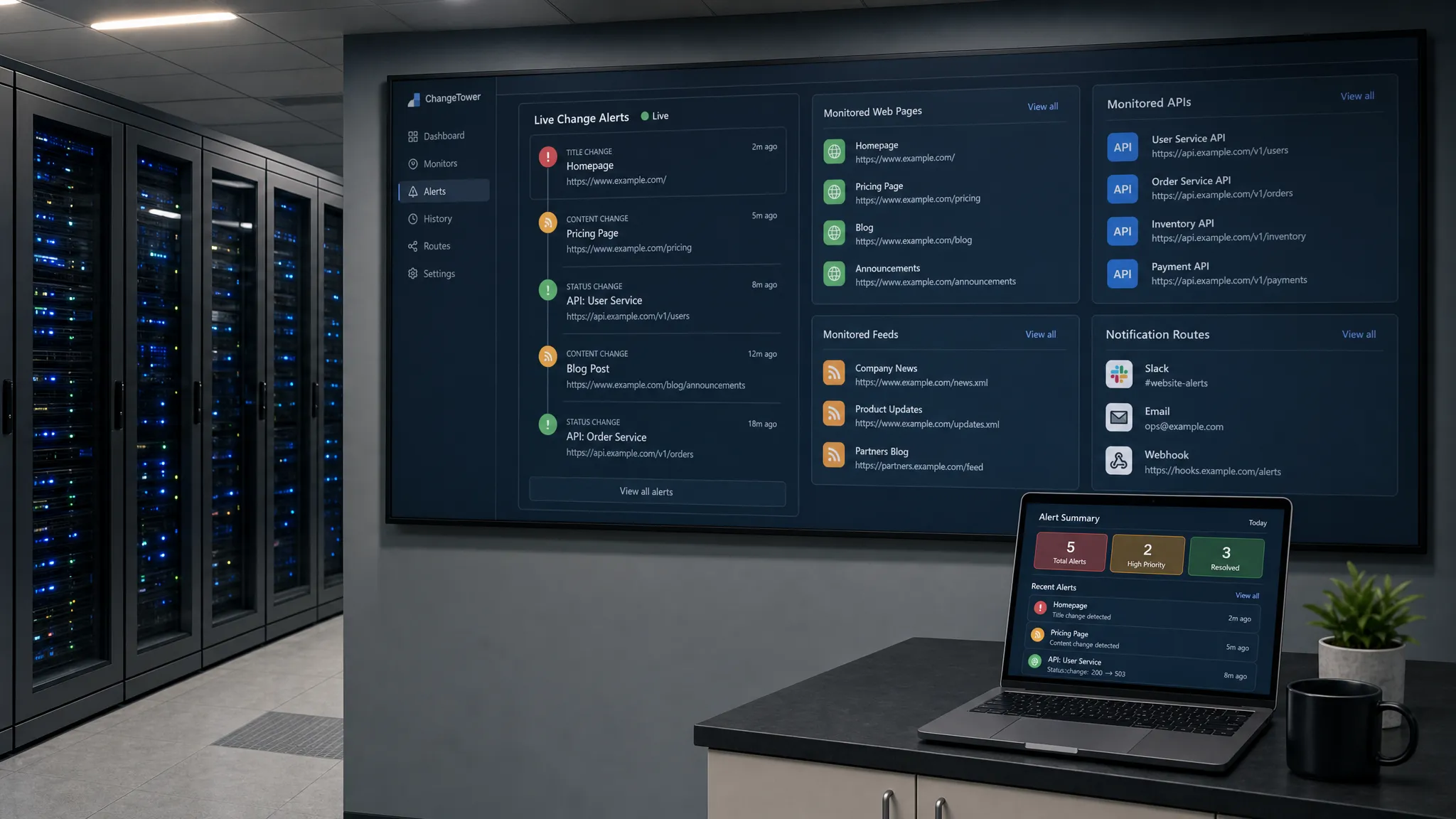
If you need to watch web page updates without refreshing a tab every few minutes, the best approach is not to make your browser work harder. It is to move the watching outside the browser and let an automated monitor notify you when something meaningful changes.
That distinction matters. Refreshing a page, even automatically, still forces you to look at the page again and decide whether anything changed. A real monitoring setup checks the page in the background, compares the new version with the previous one, filters out noise, and alerts the right person or workflow when action is needed.
Why manual refreshing breaks down quickly
Refreshing works for a single page over a short period of time. It fails as soon as the update matters, the page changes unpredictably, or you need to watch more than one source.
A product manager may need to know when a competitor changes packaging. A revenue team may need to catch a pricing update before it affects a deal. A compliance team may need to see when a policy, legal notice, or partner requirement changes. An operations team may need to know when a vendor page, status page, feed, or API response is updated.
In all of those cases, the problem is not simply seeing the latest version. The problem is knowing exactly what changed, when it changed, and whether it requires action.
The right setup should answer four questions:
- What page, element, feed, or API should be watched?
- What kind of change is important enough to alert on?
- Where should the alert go?
- How will the team verify the change later?
The main ways to watch web page updates
There are several ways to stop manually refreshing pages. The right choice depends on whether you need a personal convenience tool or a reliable business process.
| Method | Best for | Main limitation |
|---|
| Browser auto-refresh extension | Personal viewing of simple pages | Still refreshes the page and may not show what changed |
| RSS or Atom feed | Blogs, news, release notes, changelogs | Only works when the site provides a useful feed |
| API polling | Structured data, product data, status data | Requires API access and technical setup |
| Browser scripts | Short-term testing or internal experiments | Not ideal for team alerts or audit history |
| Website change monitoring platform | Prices, policies, pages, feeds, and APIs | Requires thoughtful setup to avoid noisy alerts |
Auto-refresh extensions are a temporary fix
A browser extension can reload a page every few seconds or minutes. This may be enough if you are watching a ticket queue, a public event page, or a low-stakes update for yourself.
But it does not truly solve the monitoring problem. You still need to keep the tab open, visually inspect the page, and notice the relevant change. If the page has ads, timestamps, rotating recommendations, cookie banners, or live widgets, you may see constant movement without useful signal.
Use auto-refresh only when the cost of missing the change is low.
Feeds and APIs are cleaner when they exist
If a site offers an RSS feed, Atom feed, webhook, or API, use it. Structured sources are easier to compare than rendered pages because they usually separate the data from the visual layout.
For example, a release notes feed may clearly show a new version entry. A product API may return a price, availability value, or status field. A policy page, however, may only exist as HTML text, which means you need page-level monitoring instead.
For broader setups, it is often useful to combine page monitoring with feed and API tracking. DiffHook covers these source types, and the same principle applies no matter what tool you choose: monitor the source that gives you the cleanest signal.
Change monitoring tools are best for business-critical pages
A website change monitoring tool checks a page or source on your behalf, compares it against the previous version, and sends an alert when your rules are met. This is the best fit when a page affects revenue, compliance, customer experience, or operations.
You might watch competitor pricing pages, vendor inventory pages, policy pages, marketplace listings, documentation, checkout flows, support articles, or fast-moving commercial sites. In industries where availability and terms can change quickly, such as crypto hardware and hosting services, teams may monitor providers like Dahab Miners to stay aware of product, hosting, or service page updates.
The value is not just that the page is checked. The value is that your team gets a usable signal without sitting in front of a browser.
A practical setup for no-refresh monitoring
The best monitoring setups are specific. Watching an entire page for any change is usually too broad. Watching the exact part of the page that matters is much more reliable.
Here is a simple workflow you can use.
- Pick the business reason first: Define why the page matters, such as price movement, policy risk, product availability, competitor messaging, or operational dependency.
- Choose the cleanest source: Use an API or feed when available. Use page monitoring when the page itself is the source of truth.
- Target the important element: Watch the pricing table, policy clause, product status, headline, CTA, documentation block, or structured field instead of the full page.
- Decide the alert threshold: Alert on any change for critical legal or pricing content, but use stricter rules for noisy pages.
- Route alerts to the owner: Send pricing changes to revenue teams, policy updates to legal or compliance, and operational changes to the teams that can act.
- Keep a change history: Store the previous and current versions so the team can verify what changed and when.
If you are working on a high-urgency use case, this guide on checking a page for changes in real time goes deeper into reducing delay while keeping alerts useful.
What to monitor on a web page
Not every page change deserves attention. Many websites update constantly for reasons that have no business impact. Navigation order, recommendation widgets, tracking parameters, session-specific content, and timestamps can all create noise.
Focus on the parts of the page that change decisions.
| Page type | Useful changes to watch | Typical owner |
|---|
| Pricing page | Price, plan names, discounts, feature limits | Sales, revenue, product marketing |
| Policy page | Terms, refund rules, privacy language, compliance text | Legal, compliance, operations |
| Product page | Availability, SKU, shipping terms, specs | Ecommerce, procurement, operations |
| Competitor page | Positioning, package structure, feature claims | Marketing, product, sales enablement |
| Documentation | API behavior, endpoints, limits, deprecations | Engineering, support, customer success |
| Status or vendor page | Incidents, maintenance windows, service notices | Operations, support, engineering |
For price-sensitive pages, the setup deserves extra care. You often need to distinguish a real price change from a temporary promotion, a region-specific value, or a dynamic display based on cookies. If this is your use case, see the more focused guide on how to track web page price changes automatically.
How to avoid false alerts
The hardest part of web page monitoring is not detecting changes. It is detecting the right changes.
Modern pages are often dynamic. They may load content with JavaScript, personalize sections based on location, rotate testimonials, show different inventory by region, or update timestamps every time the page renders. If your monitor treats every small difference as important, people will stop trusting the alerts.
Start by excluding known noisy areas. Ignore timestamps, ads, recommendation blocks, cookie banners, live chat widgets, and unrelated navigation changes when they are not part of the decision you care about.
Next, match the comparison method to the content. Text comparison is useful for policies and documentation. Element-level comparison is useful for prices, buttons, stock status, or specific page sections. Visual comparison can help when layout or design changes matter. Structured comparison is best for APIs and feeds.
Historical comparison is also important. A single alert tells you something changed. A timeline shows whether the change was a one-off update, a rollback, or part of a pattern. For teams that need evidence, the ability to compare website page content over time can be as important as the first alert.
When a DIY script is enough
A simple script can work if you only need to watch a few predictable pages, have technical resources, and do not need non-engineers to manage alerts.
A typical script fetches a URL, extracts text or HTML, stores a previous version, compares the new version, and sends a notification if the difference is meaningful. This can be effective for internal experiments or narrow engineering workflows.
However, DIY monitoring becomes harder when pages require JavaScript rendering, authentication, regional consistency, retry logic, rate limiting, alert routing, audit trails, or team access control. At that point, the maintenance burden can become larger than the original monitoring problem.
If the page affects revenue, compliance, or operations, use a system designed for reliability.
Best practices before you turn alerts on
Before you monitor any page, make sure your setup is responsible and useful.
Respect website terms, access controls, and rate limits. Do not overload pages with aggressive checks. If an official API or feed exists, it is often the better source. For pages behind login, confirm that your monitoring approach is allowed by your organization and the service provider.
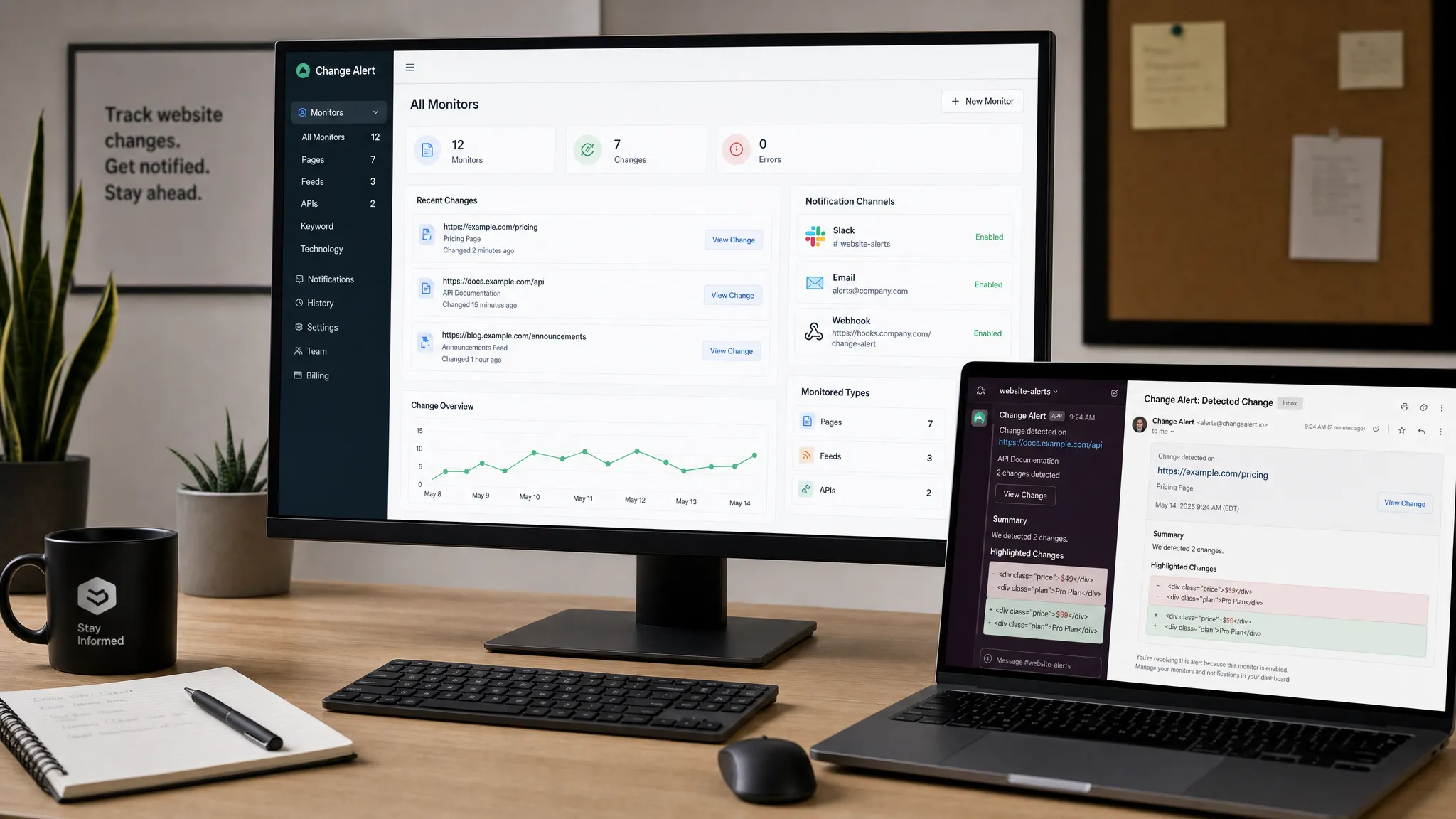
Then make the alert actionable. A good alert should include the page or source, the exact change, the time detected, the previous value, the new value, and the destination for follow-up. Sending a vague message like “page changed” creates work. Sending “refund policy changed from 30 days to 14 days” creates action.
Finally, review alerts after the first week. If half of them are irrelevant, tighten the watched element or change rule. If important updates were missed, broaden the rule or monitor an additional source.
How DiffHook helps teams watch updates without refreshing
DiffHook is built for teams that need to know the moment important web content changes. It monitors pages, prices, policies, feeds, and APIs, then sends alerts through channels such as Slack, email, webhooks, and workflow integrations.
Instead of refreshing tabs or relying on someone to notice an update, teams can define what matters, filter out noisy changes, and keep a full change history for review. DiffHook also supports team-oriented needs such as SSO, role access, reliable delivery, audit trails, and an EU hosting option.
For individuals, this saves time. For teams, it reduces revenue risk, compliance blind spots, and operational surprises.
Frequently Asked Questions
Can I watch a web page without keeping it open? Yes. A monitoring tool can check the page in the background and notify you when a relevant change happens, so you do not need to keep a browser tab open.
Is auto-refresh the same as web page monitoring? No. Auto-refresh reloads the page at intervals, but it usually does not compare versions, filter noise, keep history, or alert the right person when something important changes.
How often should I check a page for updates? It depends on the business impact. Critical pricing, policy, or operational pages may need near real-time monitoring, while lower-risk pages can be checked less frequently.
Can I monitor only one part of a page? Yes. In many cases, monitoring a specific element such as a price, policy paragraph, stock status, or documentation block is more accurate than watching the entire page.
What causes false change alerts? Common causes include timestamps, ads, rotating content, personalization, cookie banners, live chat widgets, and JavaScript-rendered sections that change on every page load.
Stop refreshing and start acting on changes
Watching a web page manually is fine for curiosity. It is not enough when a change can affect revenue, compliance, customer trust, or operations.
With DiffHook, you can monitor the pages, feeds, prices, policies, and APIs that matter, filter out noise, and route real-time alerts to the people and workflows that need them. Instead of asking someone to refresh a tab, let your monitoring system catch the change and give your team the context to act.