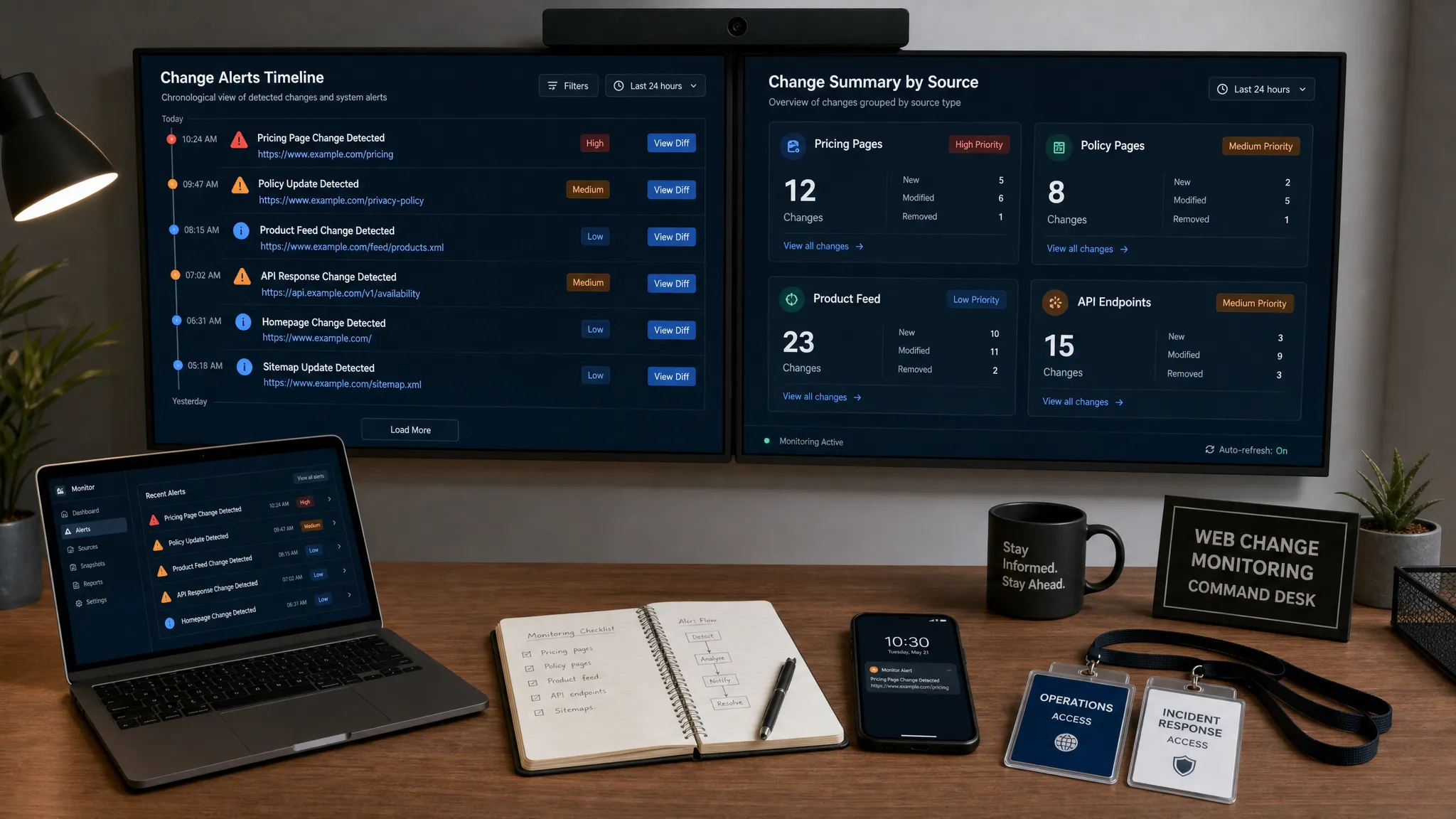
Trying to track content on website pages manually works until the page estate gets bigger than one person’s memory. A pricing page changes in one region. A legal disclaimer is edited without notifying compliance. A competitor updates positioning overnight. A partner swaps launch copy before a campaign goes live. None of these changes looks dramatic in isolation, but at scale, they can create revenue leakage, operational confusion, and avoidable risk.
To track content on website pages at scale, teams need more than a browser bookmark folder and a spreadsheet. They need a repeatable monitoring system that decides which pages matter, what kind of changes count, who should be alerted, and how every change is stored for later review.
This guide breaks down how to build that system, from page inventory and signal definition to alert routing, noise reduction, and governance.
What it means to track website content at scale
At small scale, website content tracking usually means watching a few important pages for visible text changes. At larger scale, the scope expands quickly.
You may need to monitor your own pages, competitor pages, supplier portals, documentation, product feeds, API responses, policy pages, checkout flows, and regional variants. Some pages are static. Others are rendered client-side. Some change daily, while others only matter if a specific sentence, price, CTA, or legal clause changes.
Tracking at scale means you can answer four questions reliably:
- Which pages and sources are being monitored?
- What changes are important enough to trigger an alert?
- Who is responsible for reviewing and acting on each alert?
- Where can the team see the full history of what changed and when?
Without those answers, teams often drown in alerts or miss the updates that matter most. The goal is not to detect every pixel movement. The goal is to detect meaningful changes fast enough for the right people to respond.
Start with a page inventory and risk map
Before choosing monitoring rules, build an inventory of the pages and sources that influence revenue, compliance, operations, or customer experience. This is where many teams under-scope the problem. They monitor the homepage and pricing page, but miss region-specific pages, old landing pages, help center content, embedded forms, product feeds, or API-driven content that powers customer-facing experiences.
A practical inventory should include the URL or source, page type, owner, business impact, expected change frequency, and escalation path. If a page does not have an owner, it will not have a clear response when it changes.
| Page or source type | Changes worth tracking | Typical owner | Why it matters |
|---|
| Pricing pages | Plan names, prices, limits, discounts, currency, trial terms | RevOps, product marketing, finance | Direct revenue and competitive impact |
| Policy pages | Terms, privacy language, compliance statements, refund rules | Legal, compliance, operations | Regulatory and contractual exposure |
| Product pages | Feature claims, availability, specs, CTAs, comparison tables | Product marketing, ecommerce | Customer expectations and conversion |
| Help center pages | Setup steps, support instructions, limitation notes | Support, customer success | Ticket volume and customer trust |
| Competitor pages | Positioning, feature launches, pricing, packaging | Marketing, sales, strategy | Market intelligence and sales enablement |
| Feeds and APIs | Product data, inventory, status, exchange rates, content payloads | Engineering, operations | Downstream systems and workflow reliability |
If you are not sure which pages deserve attention first, start with the ones where a silent update would cause the most expensive surprise. DiffHook’s guide to website updates that quietly impact revenue and risk is a useful way to frame that prioritization.
Define what counts as a meaningful content change
Website change monitoring becomes noisy when every difference is treated equally. Cookie banners, timestamps, rotating testimonials, ad slots, tracking parameters, pagination counts, and personalization blocks can all generate changes that do not require human action.
At scale, you need a shared definition of meaningful change. That definition should vary by page type. A one-word change on a privacy policy may matter more than a large visual refresh on a campaign landing page. A pricing number changing from 49 to 59 is more urgent than a new customer logo appearing in a carousel.
Important content signals often include:
- Text changes in regulated, revenue-critical, or customer-facing sections
- Price, discount, currency, tax, shipping, or fee changes
- CTA changes, form changes, checkout copy, and conversion path changes
- Added or removed links, especially to terms, support, or checkout pages
- Metadata changes such as canonical tags, noindex directives, page titles, and descriptions
- Structured data changes that affect search, product listings, or rich results
- API or feed payload changes that affect downstream workflows
This is also the right point to separate monitoring types. Some pages need text diffs. Some need HTML element tracking. Some need visual screenshots. Some need API response comparison. Many need a combination.
For example, a compliance team may care about exact wording in a policy clause, while a growth team may care about whether a CTA button changed from Start free trial to Contact sales. Engineering may care less about visible copy and more about a JSON response field disappearing.
Choose the right tracking method for each page type
A scalable monitoring program should not use the same technique for every page. The correct method depends on how the page is built, what you need to detect, and how quickly your team must respond.
| Source pattern | Best monitoring approach | Notes |
|---|
| Static HTML pages | Text, HTML, and selected element diffing | Good for marketing pages, policies, and docs |
| Dynamic web apps | Rendered page monitoring and targeted selectors | Useful when content loads after JavaScript execution |
| Pricing tables | Element-level tracking for prices, plan names, limits, and CTAs | Helps reduce noise from unrelated page edits |
| Feeds | Feed item and field comparison | Useful for product catalogs, inventory, news, and partner data |
| APIs | Response body, field, status, and schema monitoring | Important for operational systems and integrations |
| Authenticated pages | Controlled access monitoring with clear governance | Requires careful credential and permission management |
The more specific the monitoring method, the more useful the alert. Watching an entire page can be helpful early on, but mature teams usually move toward targeted content blocks, selectors, fields, or known business signals.
If you need a deeper foundation for single-page setup before scaling, DiffHook’s guide on how to monitor a web page for critical changes covers the core decision points.
Build a scalable monitoring workflow
A monitoring workflow should be designed like an operating system, not a one-off task. The difference is ownership. A one-off monitor answers, did this page change? A scalable workflow answers, did the right person learn about the right change fast enough, with enough context to act?
Start by grouping pages into monitoring tiers. Not every page needs the same frequency or urgency. Revenue-critical pricing pages, checkout pages, regulatory pages, and APIs may need fast monitoring. Evergreen blog posts, low-traffic landing pages, and archive content may only need periodic checks.
Then standardize how monitors are named, tagged, and assigned. Use labels such as brand, region, page type, owner, risk level, and source system. This makes filtering and reporting far easier once you have hundreds or thousands of monitored pages.
For pages managed by multiple teams or partners, make ownership explicit. For example, if a startup’s launch site, app landing pages, or campaign pages are built with a partner such as premium mobile app development agency Appzay, the monitoring plan should clarify which content changes go to the internal growth team, which go to product, and which should be reviewed with the external partner before launch.
A scalable workflow usually includes:
- A central source inventory with owners and risk tiers
- Monitoring rules matched to page type and business signal
- Alert channels mapped to team workflows such as Slack, email, or webhooks
- Deduplication and noise filtering before alerts reach humans
- A retained history of changes for audits, investigations, and reporting
This structure prevents monitoring from becoming another inbox. It turns change detection into a reliable operational signal.

Reduce noise before it reaches your team
Noise is the main reason website monitoring programs fail. If every minor DOM shuffle, date stamp, animation, or ad rotation triggers an alert, people stop trusting the system. At scale, alert fatigue is not a small inconvenience. It can cause teams to miss the one change that actually matters.
Noise reduction starts with scope. Monitor the part of the page that matters instead of the whole document when possible. For pricing pages, track plan names, prices, limits, and CTA text. For policy pages, track body copy and effective dates. For APIs, track specific fields, response codes, and schema shape.
Next, exclude known volatile content. Common exclusions include timestamps, session IDs, rotating banners, social counters, personalized recommendations, randomized testimonials, and tracking parameters. If a page is expected to change frequently, use thresholds or rules that distinguish routine updates from meaningful differences.
You can also reduce noise with alert grouping. If 200 regional pages change because the same footer link was updated, one grouped alert is more useful than 200 separate notifications. If a product feed updates every hour, the alert should highlight material changes, not routine refreshes.
DiffHook supports smart noise filtering, which is especially important when monitoring pages, feeds, and APIs across a large surface area. The goal is to preserve speed without sacrificing relevance.
Route alerts based on impact, not just source
At small scale, sending every alert to one email address might be acceptable. At scale, it creates a bottleneck. Alerts should be routed to the team that can interpret and act on them.
A pricing change may go to RevOps, sales enablement, and product marketing. A privacy policy change may go to legal and compliance. A feed schema change may go to engineering. A competitor positioning update may go to marketing and sales.
| Change type | Primary alert recipient | Secondary recipient | Suggested urgency |
|---|
| Own pricing page change | RevOps or finance | Sales, product marketing | High |
| Competitor pricing change | Product marketing | Sales enablement, strategy | Medium to high |
| Terms or privacy update | Legal or compliance | Customer success, operations | High |
| API field removed or renamed | Engineering | Operations, support | High |
| Help article edited | Support | Customer success | Medium |
| SEO metadata changed | SEO or growth | Web team | Medium |
This is where integrations matter. Email is useful for audit-friendly summaries. Slack is useful for fast team awareness. Webhooks are useful when alerts need to trigger downstream workflows, tickets, incident processes, or custom automation.
DiffHook connects with common workflow tools through Slack and email notifications, plus webhook and workflow integrations. That makes it easier to send the same underlying change signal to different destinations based on the page, risk level, and owner.
For broader architecture decisions, see DiffHook’s breakdown of what a modern web system needs to catch change fast.
Preserve change history for audits and investigations
Fast alerts solve the immediate response problem. Change history solves the accountability problem.
When a page changes, teams often need to know more than the current version. They need to know what changed, when it changed, what the previous content said, whether the alert was delivered, and who received it. This is especially important for compliance-sensitive pages, pricing disputes, customer escalations, and incident reviews.
A full change history helps teams answer questions such as:
- When did this policy language first appear?
- Did the pricing table change before or after the campaign launched?
- Which competitor changed their packaging first?
- Was the support article updated before customers began opening tickets?
- Did the API response change before the downstream workflow failed?
Without history, teams rely on memory, screenshots, or partial logs. With history, the website becomes auditable. DiffHook’s full change history and reliable delivery with audit trails are designed for this exact need.
Set governance rules before scaling further
The more pages you monitor, the more important governance becomes. A strong setup should define who can create monitors, who can change alert destinations, who can access sensitive monitored content, and how long change history should be retained.
For larger teams, role access and SSO help keep monitoring aligned with internal security practices. If your organization has regional data requirements, hosting location may also matter. DiffHook offers SSO and role access, plus an EU hosting option for teams that need it.
Governance should also cover review cadence. Monitoring rules should not be set once and forgotten. Pages are redesigned, owners change, products launch, and compliance requirements evolve. A quarterly review of your monitored inventory can remove stale monitors, improve selectors, adjust alert routing, and confirm that high-risk pages are still covered.
Common mistakes when tracking website content at scale
Most failures come from treating large-scale content monitoring like a bigger version of manual checking. The right mindset is different. You are building a signal system.
One common mistake is monitoring too broadly. Watching an entire page is easy, but it often creates noise. Target the business-critical content whenever possible.
Another mistake is monitoring too narrowly. If you only track visible text, you may miss metadata, links, structured data, API fields, or content loaded dynamically. The right scope depends on how the page affects the business.
Teams also forget ownership. An alert with no owner is just a notification. Every monitored page should have a responsible team and a clear escalation path.
Finally, teams often skip history. Screenshots and chat messages are not enough when you need to investigate a revenue-impacting change or prove what a page said at a specific time.
A practical rollout plan
If you are starting from scratch, do not try to monitor the entire web at once. Start with a focused rollout that proves value and creates reusable patterns.
Begin with 20 to 50 high-impact pages across your own site, competitor sites, and operational sources. Include a mix of pricing, policy, product, help center, and API or feed sources if relevant. Assign an owner and alert route for each page.
After two to four weeks, review the alerts. Which ones were useful? Which were noisy? Which pages changed more often than expected? Which alerts reached the wrong team? Use that feedback to tune selectors, thresholds, exclusions, and routing.
Once the first group is stable, expand by category. Add more pricing pages, more regions, more competitors, more policy pages, or more feeds. Reuse the structure rather than reinventing rules for every new monitor.
This staged approach helps teams build trust in the system before scaling to hundreds or thousands of monitored sources.
How DiffHook helps teams track content changes at scale
DiffHook is built for teams that need to know the moment important web content changes. It can monitor pages, prices, policies, feeds, and APIs, then alert teams through channels such as Slack, email, and webhooks.
For larger monitoring programs, features such as real-time change monitoring, smart noise filtering, fast alert delivery, full change history, role access, and workflow integrations help turn scattered web changes into actionable signals.
That matters because the web pages that drive revenue, compliance, and operations are rarely controlled by one person or one system. DiffHook helps teams keep watch across that surface area without relying on manual checks.
Frequently Asked Questions
What is the best way to track content on website pages at scale? The best approach is to create an inventory of important pages, define meaningful change signals for each page type, monitor the right content elements or data fields, filter noise, route alerts to the correct owners, and retain change history for review.
How often should website pages be checked for changes? It depends on business impact. Pricing, policy, checkout, and API sources may require real-time or near real-time monitoring. Lower-risk pages can often be checked less frequently. The key is matching monitoring frequency to the cost of missing a change.
Can website content monitoring track dynamic pages? Yes, but dynamic pages may require rendered page monitoring, targeted selectors, or API tracking rather than simple static HTML comparison. This is common for modern web apps where content loads after the initial page request.
How do you avoid false alerts when monitoring many pages? Use targeted monitoring, exclude volatile elements, group related alerts, set thresholds where appropriate, and route only meaningful changes to humans. Noise filtering is essential when monitoring at scale.
Why is change history important? Change history shows what changed, when it changed, and what the previous version looked like. This helps with audits, compliance reviews, pricing investigations, customer escalations, and operational troubleshooting.
Turn website changes into actionable signals
Tracking content on website pages at scale is not about watching more URLs. It is about knowing which changes matter, detecting them quickly, and getting the right people enough context to act.
If your team depends on web pages, pricing, policies, feeds, or APIs that can change without warning, DiffHook can help you monitor them in real time, reduce noise, and maintain a reliable history of what changed. Explore DiffHook at diffhook.com and start building a monitoring workflow your team can trust.