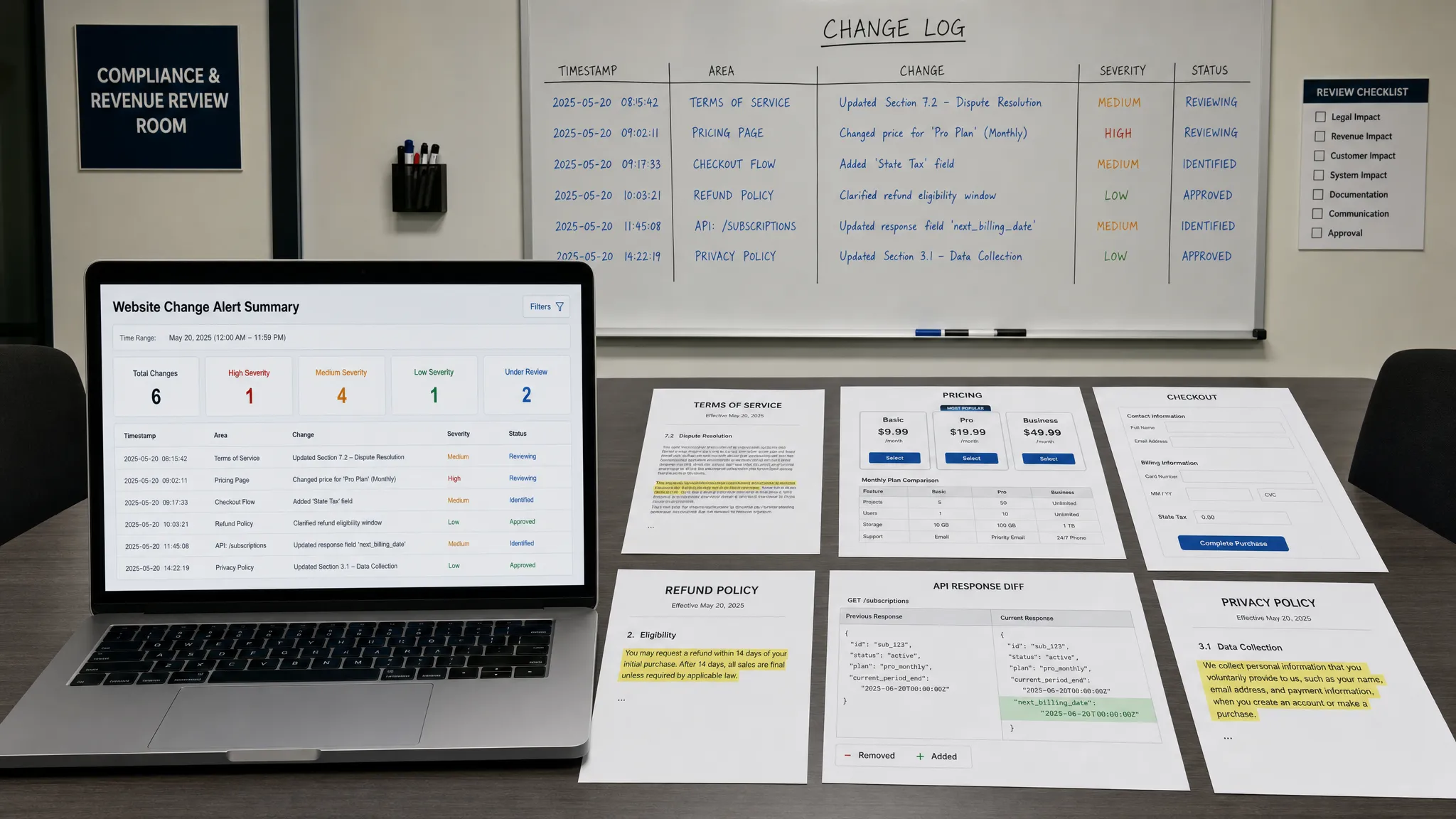
The most dangerous website updates are often the ones nobody announces. A pricing disclaimer changes, a checkout field disappears, a policy page gets rewritten, or a third-party API response shifts just enough to break an internal workflow. Nothing looks dramatic at first, but the downstream impact can show up as lost revenue, compliance exposure, customer confusion, or hours of manual cleanup.
For many teams, the web has become part of the operating system of the business. It is where customers compare plans, regulators review disclosures, partners validate terms, sales teams check packaging, and internal systems pull feeds or API data. That means website updates are no longer just a marketing concern. They are revenue and risk signals.
The challenge is that most companies do not have a clear ownership model for these signals. Product marketing owns some pages. Legal owns some policies. Revenue operations owns pricing logic. Engineering owns feeds and APIs. Support owns help docs. When something changes quietly, the people who need to know may not see it until a customer, auditor, or competitor notices first.
Why quiet website updates create outsized impact
A website change becomes risky when it changes expectations. If a page says a feature is included, a buyer may expect it in the contract. If a pricing page shows the wrong amount, a sales conversation may start from a false baseline. If a policy page is updated without the compliance team knowing, the organization may lose track of which version applied at a given time.
The web also has a multiplier effect. One small update can be reused across campaigns, sales decks, chatbots, partner pages, search snippets, billing workflows, or internal knowledge bases. By the time someone spots the inconsistency, the original edit may have already influenced decisions across several teams.
This is why the most important question is not simply whether a page changed. The better question is whether the change altered a promise, a process, a price, or a control.
| Web surface | Quiet update example | Revenue impact | Risk impact |
|---|
| Pricing page | Plan price, discount, tax note, or billing term changes | Lower conversion, margin leakage, billing disputes | Misleading claims, approval gaps, audit questions |
| Checkout flow | Form field, payment option, coupon rule, or error message changes | Abandoned carts, failed payments, support volume | Accessibility, consent, or customer data issues |
| Policy page | Privacy, refund, warranty, or terms language changes | Buyer hesitation, refund disputes | Compliance exposure, version control problems |
| Product page | Feature availability or packaging copy changes | Sales misalignment, churn risk | False claims, customer expectation gaps |
| Feed or API | Data field, status value, endpoint, or payload structure changes | Broken automations, delayed operations | Incomplete records, reporting errors |
Revenue-impacting website updates teams often miss
Pricing and packaging changes
Pricing updates are the clearest example because the connection to revenue is direct. A small mistake in a public price, discount, billing frequency, seat limit, or plan comparison table can affect pipeline, renewals, and customer trust.
The risk is not limited to your own pricing page. Reseller pages, marketplace listings, app directories, affiliate landing pages, and regional pages may all communicate commercial terms. If one surface is out of sync, sales and finance teams may end up negotiating from inconsistent information.
Teams that manage multiple commercial pages should treat pricing surfaces as controlled assets, not ordinary content. A useful starting point is to audit a pricing website before it hurts revenue, especially if pricing is spread across landing pages, comparison tables, legal footnotes, and checkout screens.
Checkout and conversion flow edits
Some website updates do not look financial, but they influence revenue immediately. A changed call to action, a broken form validation rule, a removed payment method, or a new required field can reduce conversion without triggering a technical outage.
This is especially common when teams test copy, localization, consent banners, or payment providers. The site may still be up, analytics may still collect data, and the checkout may still work for some users. Yet a subset of customers may face friction that only becomes visible after conversion rates fall.
The highest-risk checkout changes usually affect:
- Payment methods and billing country rules
- Coupon and promotion logic
- Trial, demo, or quote request forms
- Consent checkboxes and privacy notices
- Error messages, redirects, and confirmation pages
Product availability and inventory signals
For ecommerce, marketplaces, and operations-heavy teams, availability changes can be as important as price changes. A product going out of stock, a listing disappearing, a delivery window changing, or a supplier feed updating can shift demand, customer expectations, and fulfillment plans.
Even B2B teams can be affected. A partner page may remove an integration badge. A documentation page may change which regions are supported. A status-related feed may alter service availability. These updates can influence sales claims and operational planning before an internal owner is aware.
SEO, acquisition, and campaign pages
Not every revenue impact happens at checkout. Metadata, canonical tags, page copy, schema, robots rules, and internal links can affect how prospects find and interpret your offer. A quiet update to an acquisition page can weaken rankings, reduce qualified traffic, or send visitors to a less relevant conversion path.
SEO-related changes are particularly easy to miss because the consequences often appear gradually. By the time traffic drops, the responsible edit may be buried among routine content updates. Monitoring critical acquisition pages helps teams connect traffic changes to the actual content or technical changes that preceded them.
Risk-impacting website updates that deserve more attention
Policies, terms, and disclosures
Policy updates often happen for good reasons: new regulations, product changes, jurisdictional requirements, or updated legal language. The problem is not the update itself. The problem is when the update happens without the right stakeholders knowing, approving, or preserving the previous version.
For legal, compliance, and customer support teams, version history matters. If a customer dispute arises, the organization may need to know what refund policy, service commitment, or privacy disclosure was visible at the time. A live page only shows the current state. Risk teams need a record of what changed and when.
Help docs and customer-facing support content
Support documentation can create obligations even when it is not written like a contract. If a help article says a workflow is supported, customers may rely on it. If a troubleshooting page removes a limitation, support teams may start giving different advice. If a security or data retention article changes, enterprise buyers may ask why.
Documentation updates should be visible to support, customer success, sales engineering, and compliance where relevant. The cost of missing these updates is not always a fine or lawsuit. Sometimes it is churn, escalations, delayed renewals, or loss of trust in the answers your team provides.
Vendor, partner, and competitor pages
Your business can be affected by pages you do not control. Vendors can change service terms, deprecate APIs, alter pricing, or revise security documentation. Partners can update listings, remove co-marketing claims, or change integration instructions. Competitors can reposition offers, launch promotions, or modify plan comparisons.
Monitoring external pages is not about spying on the whole internet. It is about protecting the dependencies that affect your revenue, operations, and customer commitments. If a key vendor changes a policy that affects your own compliance posture, waiting for a quarterly review may be too slow.
Financial control signals beyond page monitoring
Some risk signals sit adjacent to website monitoring rather than inside it. For example, accounts payable, insurance claims, and employee expenses depend on documents that can be manipulated before they ever reach a finance workflow. Teams that already monitor policy and vendor changes may also need stronger controls around document authenticity, using tools such as invoice and receipt fraud detection software to catch tampered or AI-generated financial documents before payment decisions are made.
The broader lesson is the same: quiet changes and quiet manipulations are dangerous because they look routine. Revenue and risk teams need systems that surface meaningful deviations early, whether the signal is a changed policy page, a modified pricing table, or a suspicious payment document.
The hidden pattern: no one owns the whole web surface
Most missed website updates are not caused by negligence. They happen because ownership is fragmented. Marketing publishes pages. Product updates documentation. Legal revises policies. Finance owns pricing approvals. Engineering changes APIs. Operations relies on vendor pages. Each team sees its own slice, but few organizations maintain a shared view of what changed across all business-critical web surfaces.
This fragmentation creates four common failure modes:
- Important updates happen outside the release process
- Page owners know about an edit, but downstream teams do not
- Monitoring exists, but alerts are too noisy to trust
- Teams cannot prove what changed after an incident
The solution is not to route every typo to every department. The solution is to classify web surfaces by business impact, define what types of updates matter, and send the right alert to the right owner.
Build a website update risk register
A website update risk register is a simple inventory of web surfaces that could affect revenue, compliance, operations, or customer trust. It does not need to be complicated. The point is to make implicit risk visible.
Start with pages and data sources where a change could alter a promise, price, workflow, or legal position. Then assign ownership, alert priority, and response expectations.
| Register field | Why it matters | Example |
|---|
| Web surface | Defines what is being monitored | Pricing page, refund policy, partner listing, API docs |
| Business owner | Ensures alerts go to someone accountable | Finance, legal, revenue operations, support |
| Critical elements | Filters noise and focuses attention | Price table, cancellation terms, endpoint schema |
| Change severity | Prevents every edit from becoming urgent | Informational, review needed, immediate escalation |
| Required evidence | Supports audits and incident reviews | Screenshot, diff, timestamp, previous version |
| Response playbook | Turns alerts into action | Confirm, approve, revert, notify, update internal docs |
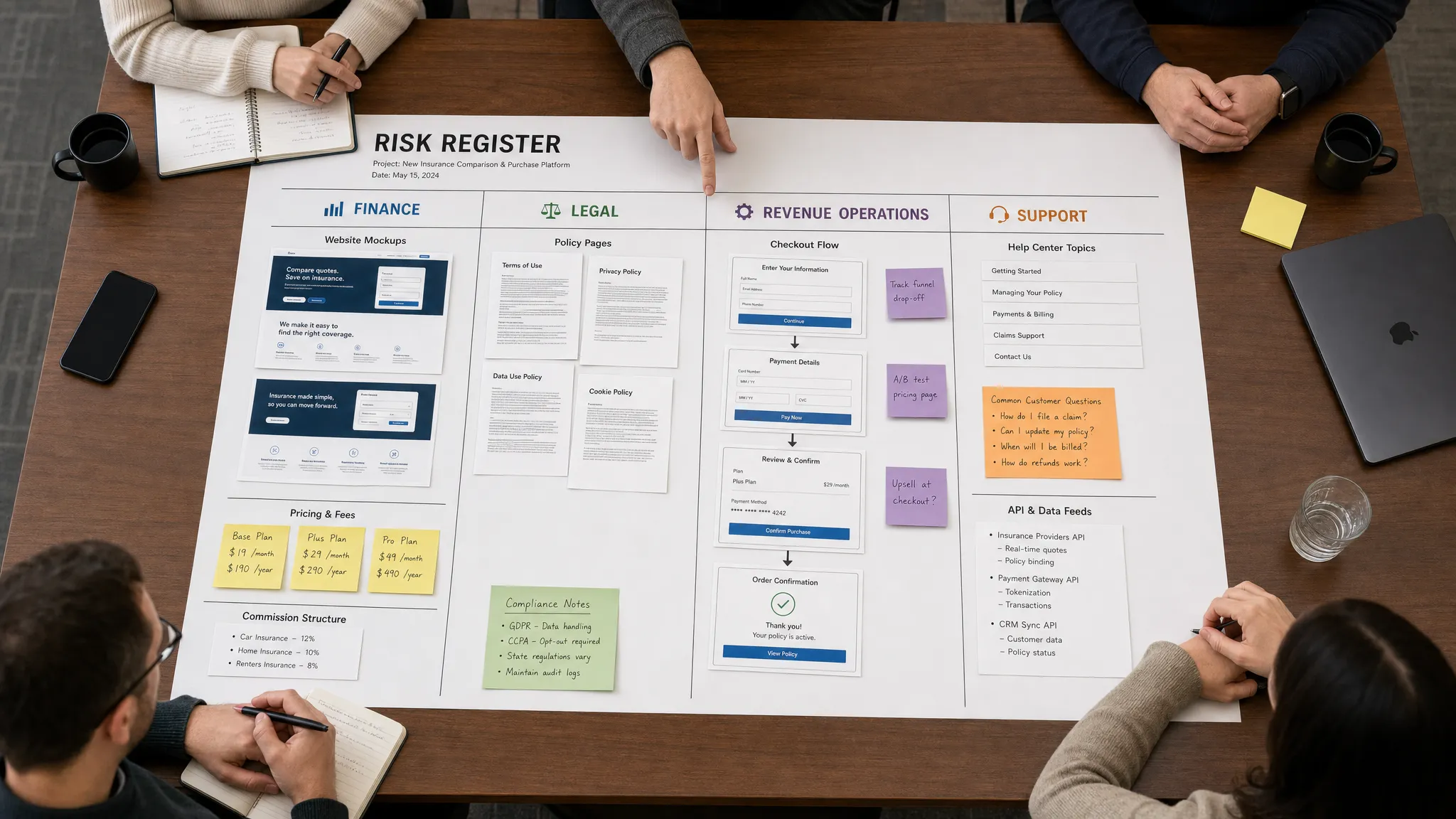
This register also helps teams decide what not to monitor. Low-impact blog edits, routine design changes, or expected campaign rotations may not deserve urgent alerts. The goal is to protect the web surfaces that carry business commitments.
How to monitor website updates without drowning in noise
Monitoring only works if people trust the alerts. If every whitespace change, rotating banner, or timestamp update triggers a notification, teams will ignore the system. A strong monitoring approach separates meaningful change from background noise.
Focus on critical elements, not whole pages
For a pricing page, the critical element may be the amount, billing interval, feature limit, or discount note. For a policy page, it may be specific clauses. For an API doc, it may be endpoint fields or deprecation notices. For a product page, it may be availability, region support, or feature claims.
This is where smart noise filtering becomes essential. The monitoring system should help teams avoid irrelevant updates while still catching changes that affect revenue or risk.
Route alerts by business impact
A price change should not follow the same route as a privacy policy edit. A checkout failure should not wait in the same inbox as a competitor page update. Routing matters because speed matters only when the alert reaches the person who can act.
| Change type | Primary owner | Typical alert route |
|---|
| Pricing or discount change | Finance or revenue operations | Slack channel, email, workflow automation |
| Policy or terms update | Legal or compliance | Email, audit trail, approval workflow |
| Checkout or form change | Growth, ecommerce, or engineering | Slack, incident channel, ticketing workflow |
| Feed or API change | Engineering or operations | Webhook, workflow integration, on-call process |
| Partner or vendor page change | Partnerships, procurement, or compliance | Email summary, review queue, escalation if critical |
Preserve history, not just alerts
The first alert answers what changed now. The full change history answers what changed over time. That distinction matters for audits, customer disputes, root cause analysis, and internal accountability.
For example, if a customer claims they saw a different refund policy last month, a current screenshot is not enough. You need the previous version, the timestamp, and the difference. The same is true for pricing errors, support documentation changes, and vendor policy updates.
If you are setting up monitoring from scratch, the practical framework in DiffHook's guide on how to monitor a web page for critical changes can help you define what to watch, how to reduce false positives, and how to route alerts effectively.
What to do when a high-impact alert fires
A useful alert should lead to a decision, not just awareness. When a high-impact website update is detected, the receiving team should quickly answer five questions.
- What changed, and on which surface?
- Was the change planned, approved, and expected?
- Which customers, prospects, workflows, or obligations could be affected?
- Does the change need to be reverted, confirmed, or communicated?
- What evidence should be kept for future review?
This response process is especially important when multiple teams touch the same customer promise. A pricing update may require finance confirmation, sales enablement updates, website correction, and customer support guidance. A policy update may require legal approval, support training, and version retention.
The faster the team can connect the alert to an owner and a playbook, the less likely the update becomes an incident.
Where DiffHook fits
DiffHook is built for teams that need to know the moment important web surfaces change. It monitors pages, prices, policies, feeds, and APIs in real time, then alerts teams through Slack, email, webhooks, and workflow integrations.
For revenue teams, that means pricing, checkout, competitor, and availability changes can be surfaced before they become missed targets or customer confusion. For risk and compliance teams, full change history and audit trails help preserve evidence when policies, disclosures, or vendor pages change. For operations and engineering teams, feed and API tracking helps catch shifts that can break downstream processes.
DiffHook also supports smart noise filtering, fast alert delivery, SSO and role access, and an EU hosting option for teams with regional hosting requirements. The value is not just knowing that something changed. It is knowing quickly, with context, ownership, and evidence.
Frequently Asked Questions
What website updates should revenue teams monitor first? Start with pricing pages, plan comparison tables, checkout flows, coupon rules, trial or demo forms, product availability pages, and high-converting landing pages. Prioritize any surface where a small change could affect conversion, margin, pipeline quality, or customer expectations.
Which website updates create the most compliance risk? Policy pages, terms of service, privacy notices, refund language, support commitments, security documentation, and vendor compliance pages tend to carry the most risk. The key is preserving what changed, when it changed, and who reviewed it.
How can teams avoid alert fatigue? Monitor critical elements instead of entire pages wherever possible, classify changes by severity, suppress routine noise, and route alerts only to the owners who can act. Alert quality matters more than alert volume.
Should companies monitor external websites too? Yes, when those sites affect revenue, operations, or obligations. Common examples include vendor policy pages, marketplace listings, partner directories, competitor pricing pages, integration documentation, and regulatory update pages.
Is website change monitoring only useful for large companies? No. Smaller teams often have fewer layers of review, which makes quiet website updates easier to miss. A lightweight monitoring process can help them catch pricing mistakes, policy edits, and operational changes before they create expensive problems.
Catch quiet changes before they become costly
Website updates can look harmless while still changing prices, promises, workflows, and risk exposure. The companies that handle them well do not rely on someone remembering to check a page. They identify critical web surfaces, monitor the elements that matter, filter out noise, and send actionable alerts to the right people.
If your team depends on web pages, prices, policies, feeds, or APIs, DiffHook helps you catch important changes in real time and keep a clear history of what changed, when it changed, and why it mattered.