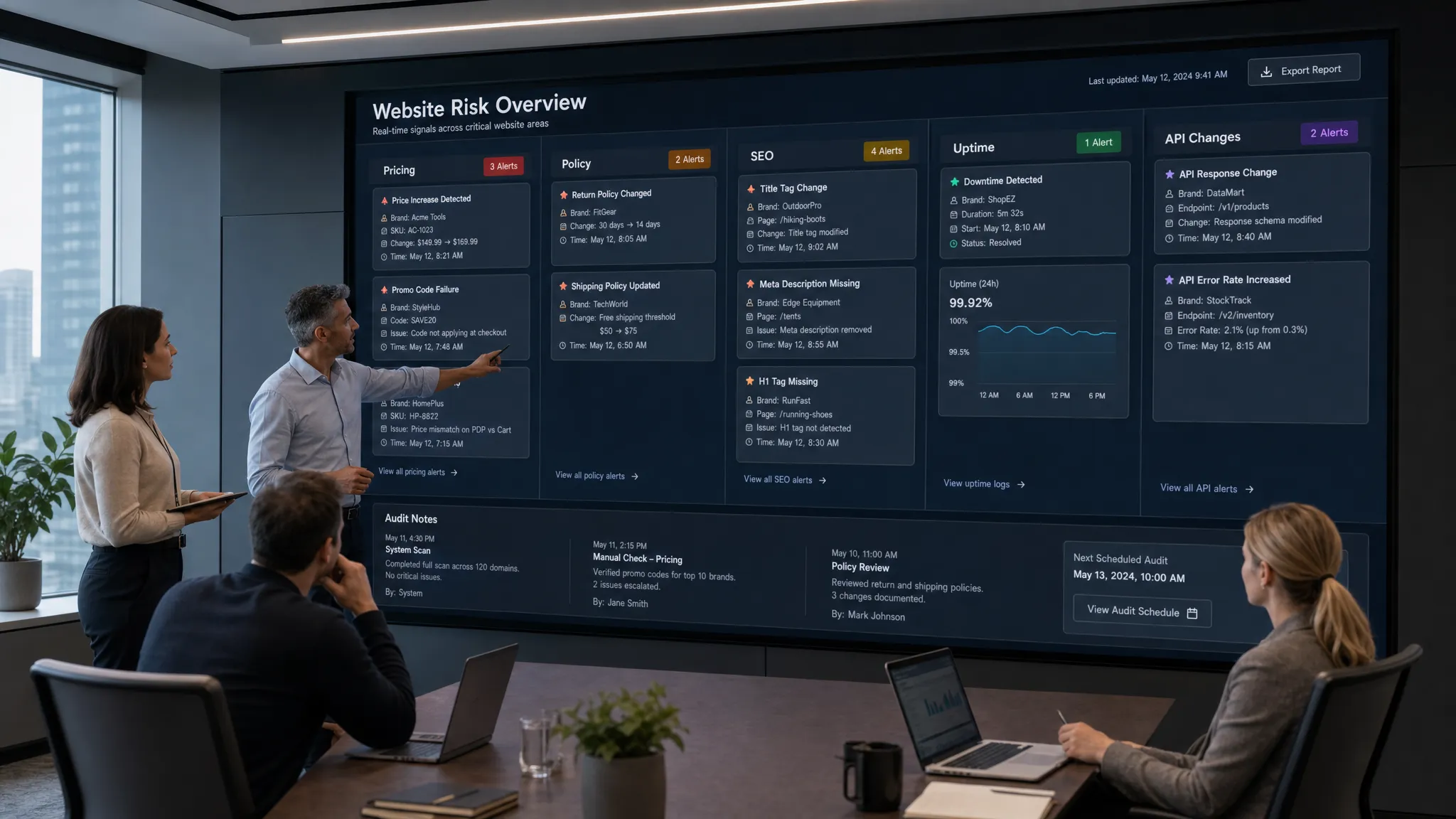
Most teams do not need more dashboards. They need earlier signals when something on the web changes in a way that affects revenue, compliance, customer trust, or operations.
That is where the right website tools make a measurable difference. A pricing page update can trigger sales questions. A broken checkout flow can quietly drain revenue. A competitor’s landing page change can shift positioning overnight. A policy update on a supplier site can create compliance exposure before anyone notices.
The goal is not to monitor everything. The goal is to monitor what matters, route alerts to the right people, and keep enough context to act quickly.
What makes a website tool worth using?
A useful monitoring stack should help your team answer five questions:
- What changed?
- Why does it matter?
- Who needs to know?
- How fast do they need to act?
- What evidence do we have later?
The best website tools usually share a few traits. They focus on business-critical signals, reduce alert noise, notify teams in the channels they already use, and preserve history so changes can be reviewed after the fact.
That last point matters more than many teams expect. In fast-moving environments, screenshots, diffs, timestamps, and alert trails can help resolve disputes, explain performance changes, and show that a team responded appropriately.
Quick comparison: 12 website tools for monitoring what matters
| # | Website tool type | What it helps monitor | Best for |
|---|
| 1 | Website change monitoring | Pages, policies, pricing, feeds, APIs | Catching important external and internal changes fast |
| 2 | Price monitoring | Competitor prices, reseller prices, plan pages | Revenue, ecommerce, and go-to-market teams |
| 3 | Web analytics | Traffic, conversions, engagement | Understanding user behavior at scale |
| 4 | Search visibility tools | Indexing, impressions, clicks, queries | SEO and content performance |
| 5 | Technical SEO crawlers | Broken links, metadata, redirects, canonicals | Site health and launch QA |
| 6 | Competitive SEO intelligence | Rankings, backlinks, competitor content | Market and content strategy |
| 7 | Performance monitoring | Speed, Core Web Vitals, page load issues | Conversion and user experience |
| 8 | Uptime and synthetic monitoring | Availability, forms, checkout, login flows | Reliability and incident response |
| 9 | Error monitoring | JavaScript errors, release regressions | Engineering and product teams |
| 10 | UX behavior analytics | Heatmaps, recordings, friction points | Product, CRO, and design teams |
| 11 | Accessibility and QA tools | Accessibility issues, usability regressions | Inclusive design and compliance support |
| 12 | Feed, API, and workflow tools | RSS, Atom, APIs, alerts, handoffs | Operations teams that need action, not just detection |
1. Website change monitoring tools
Website change monitoring tools track pages and other web sources for meaningful updates. For many teams, this is the foundation of the stack because it answers a simple but high-impact question: did something important change online?
DiffHook fits this category. It monitors pages, prices, policies, feeds, and APIs, then sends alerts through channels such as Slack, email, webhooks, and workflow integrations. Features like smart noise filtering and full change history help teams avoid false alarms while still keeping a reliable record of what changed.
This type of tool is especially useful when the monitored page is outside your direct control. Examples include competitor pricing pages, marketplace listings, partner policy pages, vendor documentation, public procurement pages, and regulatory updates.
Use website change monitoring when a missed update could cause revenue leakage, compliance gaps, delayed operations, or customer confusion.
2. Price monitoring tools
Pricing is one of the most important web signals for revenue teams. If a competitor lowers prices, changes packaging, adds a discount, removes a free tier, or updates shipping costs, your sales, ecommerce, and finance teams may need to react quickly.
Price monitoring tools help teams track:
- Competitor plan pages
- Product detail pages
- Marketplace listings
- Reseller pricing
- Promotional banners
- Shipping and delivery fees
The challenge is not only detecting a number change. Teams also need to know whether the change is temporary, whether it applies to a specific region, and whether related terms changed at the same time.
If pricing is a major risk area for your team, this guide on how to track web page price changes automatically explains how to choose what to monitor, reduce noise, and route alerts effectively.
3. Web analytics tools
Web analytics tools help teams understand what visitors do once they reach a site. They do not tell you that a competitor updated a pricing page, but they can show whether your own traffic, engagement, and conversions are changing.
Common options include Google Analytics 4, Plausible, and Matomo. The right choice depends on your privacy requirements, reporting needs, and technical setup.
The key is to monitor trends instead of obsessing over isolated daily fluctuations. A small dip on one day may not matter. A sustained decline in trial starts, demo requests, checkout completion, or organic conversions does.
For most teams, the most useful analytics alerts are tied to outcomes. Examples include sudden drops in conversion rate, unexplained traffic spikes from unknown sources, sharp declines in paid landing page performance, or changes in revenue per visitor.
4. Search visibility tools
Search visibility tools help teams monitor how their website appears in organic search. Google Search Console is the baseline tool because it provides data directly from Google, including clicks, impressions, average position, indexing status, and query performance.
This matters because search issues often appear gradually. A page may remain live, but lose rankings after a template change, indexing issue, content update, or technical migration. Without search visibility monitoring, the team may not notice until pipeline or sales volume has already dropped.
SEO teams should monitor key pages after launches, CMS updates, migrations, and changes to internal linking. Product and marketing teams should also pay attention when high-intent landing pages lose impressions or clicks.
A practical approach is to group pages by business value. Brand pages, pricing pages, comparison pages, documentation, and product-led content should not be treated the same as low-priority archive content.
5. Technical SEO crawlers
Technical SEO crawlers scan a website the way a search engine might. Tools such as Screaming Frog and Sitebulb can help identify broken links, missing titles, redirect chains, duplicate metadata, canonical issues, blocked pages, and unexpected noindex tags.
These tools are especially useful before and after website changes. A redesign, CMS migration, navigation update, or international rollout can introduce technical issues that are hard to spot manually.
For recurring monitoring, teams can schedule crawls and compare results over time. This helps catch regressions before they become organic search problems.
Technical crawlers are also useful outside SEO. Product marketers can use them to check whether launch pages are live and linked correctly. Compliance teams can use them to locate outdated policy links. Web teams can use them to validate large-scale content updates.
6. Competitive SEO and content intelligence tools
Competitive SEO tools help teams monitor the wider search landscape. Platforms such as Ahrefs, Semrush, and similar tools can show ranking movements, backlink changes, keyword opportunities, and competitor content strategies.
This is different from direct website change monitoring. A competitor may not visibly change a page you are tracking, but they may gain rankings, earn links, or publish new content that affects your acquisition strategy.
These tools are most valuable when paired with a clear question. For example, did competitors gain visibility for comparison keywords? Are new review pages appearing in search results? Are partner directories sending more referral traffic to other vendors? Are competitors building content around a use case you have not addressed?
Used well, competitive intelligence tools help marketing and strategy teams respond to market movement instead of relying on quarterly research.
7. Performance monitoring tools
Performance monitoring tools track how fast pages load and how stable they feel to users. Google’s Core Web Vitals, Lighthouse, PageSpeed Insights, Chrome UX Report, SpeedCurve, and DebugBear are common parts of this stack.
Speed is not only an engineering concern. Slow pages can affect conversion rates, user experience, paid campaign efficiency, and organic search performance. A landing page that performs well in testing can still become slow after new scripts, personalization tools, tag manager changes, or third-party widgets are added.
Monitor your highest-value templates first: homepage, pricing page, checkout, signup, demo request, product pages, and documentation pages. These are the pages where slow performance can have direct business impact.
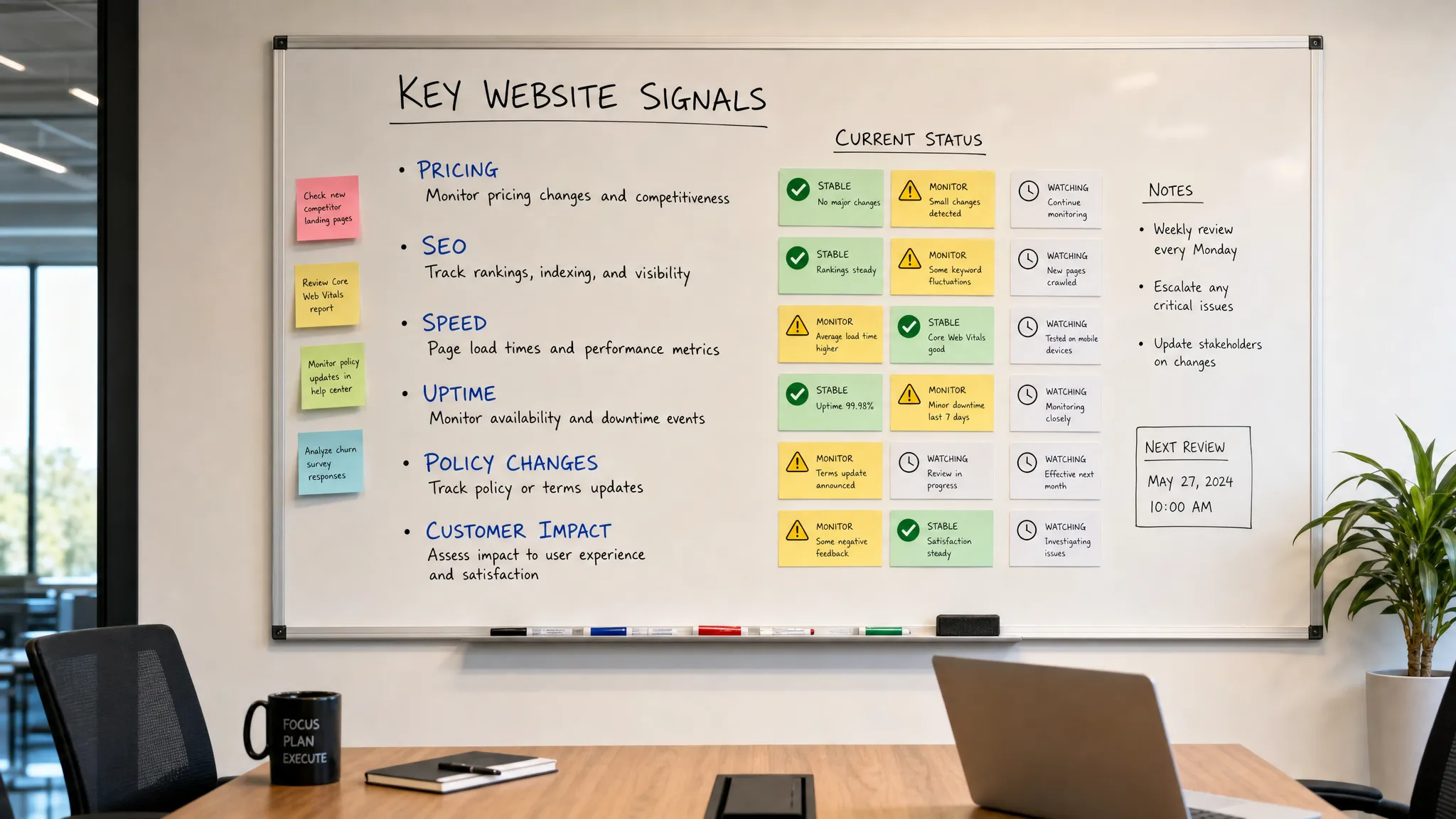
8. Uptime and synthetic monitoring tools
Uptime tools check whether a site or service is reachable. Synthetic monitoring goes further by simulating user actions such as logging in, submitting a form, completing checkout, or searching a catalog.
Basic uptime checks are useful, but they can miss partial failures. Your homepage might load while your checkout form is broken. Your app might be online while a login provider is failing. Your documentation may be accessible while a key API endpoint returns errors.
Tools in this category often support incident routing, escalation policies, status pages, and integration with on-call workflows. They are especially important for SaaS, ecommerce, marketplaces, media sites, and any business where the website is part of the product experience.
The best setup monitors critical user journeys, not just URLs.
9. Error monitoring tools
Error monitoring tools help engineering teams detect front-end and application issues after they reach users. Examples include Sentry, Bugsnag, Rollbar, and similar platforms.
These tools are useful because many website problems are invisible from the outside. A page can load successfully but still throw JavaScript errors, break a form, fail for a specific browser, or affect only a subset of users.
Good error monitoring connects problems to releases, environments, browsers, devices, and user sessions. That context makes it easier to identify whether an issue came from a deployment, a third-party script, a browser-specific bug, or an API failure.
For non-engineering teams, the important takeaway is simple: if a revenue-critical page changes and conversions drop, error monitoring can help determine whether the issue is technical rather than messaging, pricing, or traffic quality.
10. UX behavior analytics tools
UX behavior tools show how people interact with pages. Heatmaps, scroll maps, session recordings, and click tracking can reveal friction that normal analytics may hide.
Microsoft Clarity, Hotjar, FullStory, and similar tools are often used by product, design, and conversion rate optimization teams. They can help answer questions such as: are users missing the CTA, rage-clicking a broken element, abandoning a form field, or never reaching key content?
These tools should be used carefully. Teams need appropriate privacy controls, consent practices, and data minimization. Sensitive fields should be masked, and session data should be reviewed with a clear purpose.
UX behavior analytics is most helpful after a change. If a new pricing page, landing page, navigation menu, or onboarding flow performs worse than expected, session-level evidence can show what users actually experienced.
11. Accessibility and QA tools
Accessibility and QA tools help teams identify issues that affect usability, inclusivity, and quality. Examples include axe, WAVE, ARC Toolkit, and automated checks built into CI workflows.
Automated accessibility tools cannot catch every issue, but they can detect many common problems such as missing labels, contrast issues, heading structure problems, and keyboard navigation risks. They are useful during design reviews, development, and post-launch QA.
For teams that ship frequent website changes, accessibility monitoring should not be a one-time audit. A new component, popup, form, banner, or navigation update can introduce regressions.
Quality checks can also include broken link monitoring, form validation, content checks, and visual review. The broader goal is to catch defects before customers, regulators, or search engines do.
12. Feed, API, and workflow tools
Not every important web change happens on a normal HTML page. Many teams also need to monitor RSS feeds, Atom feeds, JSON responses, XML files, status feeds, changelogs, and APIs.
This is where feed and API monitoring becomes valuable. A product team may need alerts when a vendor publishes release notes. A compliance team may need to know when a regulator updates a feed. An operations team may need to route API changes into a ticketing or workflow system.
If your team uses Slack heavily, turning feed updates into channel alerts can remove the need for someone to manually check sources. DiffHook’s RSS feed to Slack workflow is one way to make feed monitoring visible where teams already collaborate.
Workflow tools matter because detection is only half the job. Alerts should create action. That might mean opening a ticket, notifying a channel, triggering a webhook, updating a CRM task, or starting an internal review.
There is also a human side to monitoring. When a public pricing, policy, or product change affects customer conversations, sales and support teams need to respond confidently. Tools such as AI-powered roleplay training for sales and service teams can help frontline teams practice those conversations after important website changes, so alerts translate into better customer interactions.
How to build a monitoring stack without creating alert fatigue
The easiest mistake is to add tools before defining priorities. A better approach is to map website risks by business impact.
Start with the pages and systems that directly affect revenue, trust, compliance, and operations. Then assign owners, alert destinations, and response expectations.
| Signal | Common owner | Useful alert destination | First response |
|---|
| Pricing page change | Revenue, ecommerce, or product marketing | Slack, email, CRM workflow | Confirm impact and update internal messaging |
| Checkout or signup failure | Engineering or growth | Incident tool, Slack, webhook | Reproduce issue and escalate if revenue-critical |
| Policy or terms update | Legal, compliance, operations | Email, ticketing system | Review wording and document response |
| Search visibility drop | SEO or content team | Dashboard, email summary | Check indexing, technical changes, and rankings |
| Feed or API update | Operations or product | Slack, webhook, workflow tool | Validate change and notify affected teams |
Once ownership is clear, tune alerts. A good monitoring stack should distinguish between cosmetic changes and business-critical changes. It should also preserve context, because the first question after any alert is usually: what exactly changed?
For many teams, the right combination is a small set of specialized tools rather than one massive dashboard. Use analytics for behavior, uptime tools for reliability, crawlers for technical health, and change monitoring for pages and sources that can shift without warning.
Frequently Asked Questions
What are website tools? Website tools are software products that help teams build, monitor, analyze, optimize, secure, or improve websites. In this context, the focus is on tools that monitor important website signals such as changes, pricing, uptime, SEO, performance, errors, UX, feeds, and APIs.
Which website tool should a team set up first? Start with the risk that would hurt most if missed. For revenue teams, that may be price monitoring or conversion analytics. For operations teams, it may be uptime and workflow alerts. For compliance teams, it may be policy and page change monitoring.
How do teams reduce alert noise? Reduce noise by monitoring specific elements, setting clear severity rules, routing alerts to the right owner, and avoiding alerts for cosmetic changes. Smart filtering and change history also help teams separate meaningful updates from routine page noise.
Are website monitoring tools only for technical teams? No. Marketing, sales, legal, compliance, operations, support, and finance teams all rely on web signals. The best tools make alerts understandable and actionable without requiring every user to be technical.
How often should teams check for website changes? The right frequency depends on risk. Revenue-critical pages, pricing, policies, feeds, and APIs may require near real-time monitoring. Lower-risk pages can often be checked less frequently or reviewed in periodic reports.
Monitor what matters before it becomes a problem
A modern website monitoring stack should help your team catch meaningful changes early, understand the impact, and respond through the workflows you already use.
If pages, prices, policies, feeds, or APIs affect your revenue, compliance, or operations, DiffHook helps you monitor them in real time with smart noise filtering, fast alerts, workflow integrations, and full change history.
Start with your highest-risk pages and sources, then expand from there. The best time to discover an important web change is before it becomes a customer issue, revenue leak, or compliance surprise.