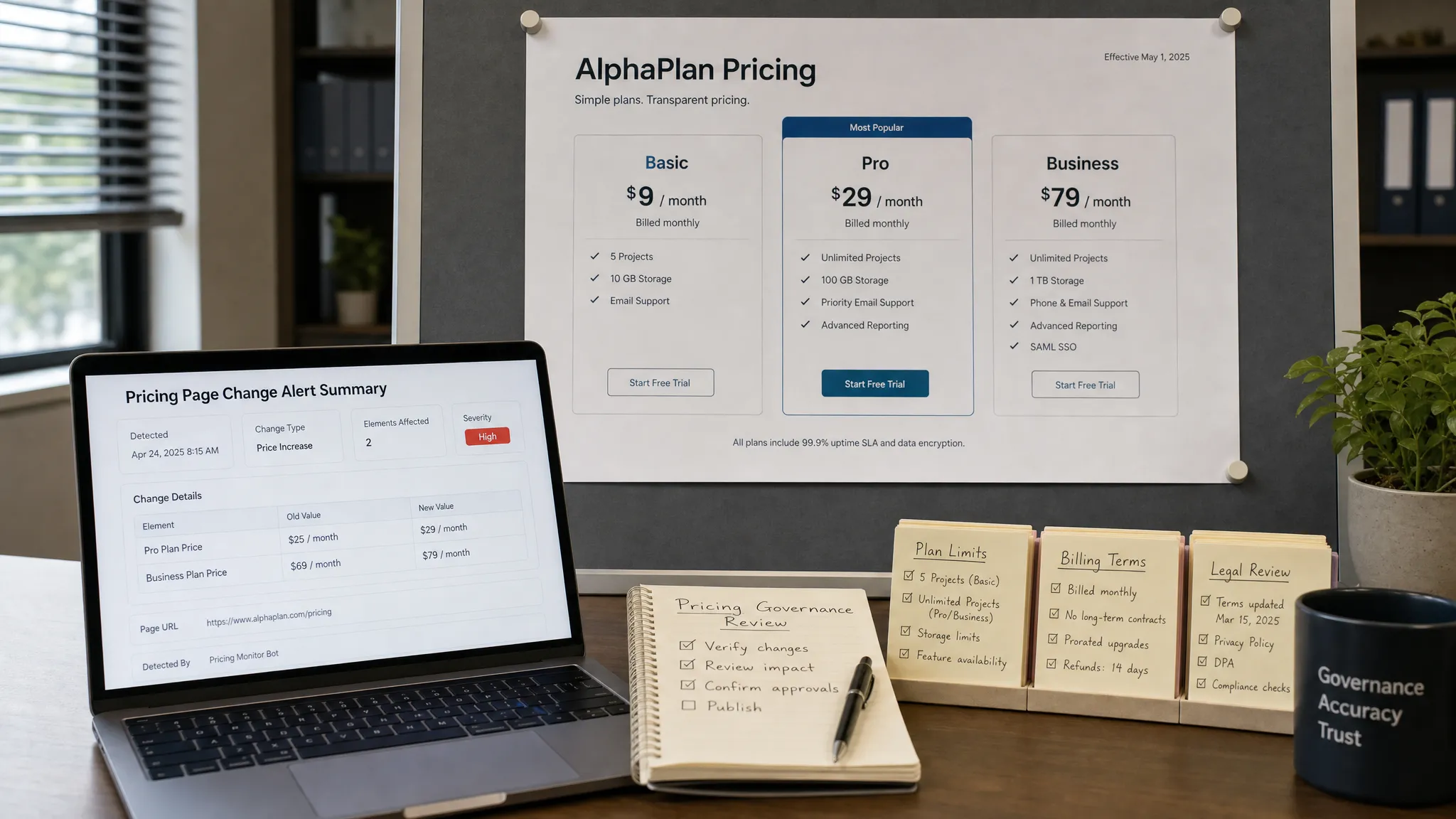
Manual pricing checks work until they do not. A product manager checks the public pricing page on Monday, sales spots a mismatch on Thursday, and by Friday finance is asking why prospects saw the wrong plan limits all week.
For revenue, product marketing, legal, and RevOps teams, pricing pages are not just marketing assets. They are live commercial commitments. A small edit to a plan card, discount banner, billing term, currency selector, or FAQ can affect conversion, contract expectations, support volume, and compliance.
The goal is not to watch every pixel. The goal is to monitor the parts of pricing pages that matter, filter out noise, and route the right alerts to the right people quickly enough to act.
What counts as a pricing page?
Most teams think of the main /pricing page first. That is a good starting point, but it is rarely the whole pricing surface. Modern websites spread commercial information across product pages, comparison pages, checkout flows, help centers, sales enablement pages, API responses, and sometimes regional pages.
If you only monitor one public page, you can still miss the change that creates confusion for buyers.
| Pricing surface | What can change | Why it matters |
|---|
| Main pricing page | Plan names, prices, limits, CTAs, billing terms | Direct impact on buyer expectations and conversion |
| Add-on or usage pages | Overages, credits, included volume, rate cards | Can change expansion revenue or support questions |
| FAQ and policy pages | Refund terms, cancellation terms, trial rules | Affects legal risk and customer trust |
| Checkout or upgrade pages | Final price, taxes, discounts, coupons | Affects revenue capture and billing accuracy |
| Regional pages | Currency, localized offers, VAT language | Prevents market-specific mismatches |
| Competitor comparison pages | Claims, positioning, plan comparisons | Affects sales and competitive messaging |
| Feeds and APIs | Product prices, inventory, rate data | Powers downstream systems and partner experiences |
Before choosing a monitoring tool or alert channel, create a complete inventory of these surfaces. If your pricing website has grown over several years, you may want to start with a deeper pricing site review. DiffHook has a related guide on how to audit a pricing website before it hurts revenue, which is useful if you are not sure where commercial claims live today.
Why manual pricing checks fail
Manual checks feel simple because they do not require setup. Someone opens a page, scans the plan cards, and confirms that everything looks right. The problem is that manual review depends on memory, availability, and luck.
Pricing pages can change for many reasons: a CMS publish, A/B test, localization update, third-party script issue, data feed change, deployment, promotion, or accidental rollback. Some changes are intentional but need visibility. Others are mistakes that need immediate escalation.
Manual checks usually fail for four reasons.
First, they are too infrequent. A daily or weekly check leaves a long window where the wrong price, plan limit, or policy can be live.
Second, they are inconsistent. One person may check desktop but not mobile. Another may review the headline and cards but miss the FAQ, structured data, or localized currency.
Third, they do not leave a strong record. If someone asks when a change happened, who noticed it, and what the page looked like before, a spreadsheet note is rarely enough.
Fourth, they do not scale. As soon as you have multiple regions, plans, add-ons, landing pages, and partner pages, manual review becomes busywork that still misses edge cases.
Automated monitoring solves the timing and consistency problem, but only if you configure it around business impact rather than raw page diffs.
Start with the changes that actually matter
A pricing page contains plenty of elements that can change without creating risk. Animation scripts, timestamps, rotating testimonials, tracking parameters, cookie banners, and personalization blocks may produce constant noise.
The monitoring plan should focus on signals that affect revenue, compliance, or customer expectations. Typical high-value signals include price amounts, billing periods, discount text, trial length, feature availability, plan limits, currency symbols, CTA destinations, legal terms, and structured data used by search engines or downstream systems.
A practical way to define the scope is to separate cosmetic changes from decision-changing changes.
| Change type | Monitor closely? | Example |
|---|
| Price amount changes | Yes | “$49/month” becomes “$59/month” |
| Billing term changes | Yes | “Billed monthly” becomes “Billed annually” |
| Plan limit changes | Yes | “10 seats” becomes “5 seats” |
| Trial or refund language | Yes | “14-day trial” becomes “7-day trial” |
| CTA link changes | Yes | “Start trial” points to the wrong checkout flow |
| Testimonial rotation | Usually no | Customer quote changes in a carousel |
| Layout spacing | Usually no | Card padding or button alignment changes |
| Tracking script changes | Sometimes | Depends on analytics and attribution impact |
This filtering mindset is important. If every small visual change triggers an alert, teams stop trusting alerts. If alerts are reserved for important changes, they become operational signals.
Choose the right monitoring method for each pricing surface
Not every pricing surface should be monitored the same way. A static marketing page, a JavaScript-rendered pricing table, and a pricing API all require different approaches.
For public HTML pages, visual or text-based change detection can track visible pricing content and key page sections. For pages that load pricing dynamically, the monitor may need to render the page like a browser or watch the underlying feed or API. For structured data or partner feeds, direct API or feed monitoring is often more reliable than watching the page where that data appears.
This is where a platform like DiffHook is useful because it can monitor pages, feeds, and APIs, then deliver alerts through channels teams already use. For example, you might monitor the public pricing page for visible changes, the checkout page for final pricing text, and a pricing API for the source data that populates the experience.
If your immediate goal is tracking price values across pages, you can also use DiffHook’s guide on how to track web page price changes automatically as a companion resource. This article focuses more on the operating model around pricing pages, while that guide goes deeper on price-specific monitoring setup.
Configure alerts around business ownership
The fastest alert is not helpful if it goes to the wrong inbox. Pricing page monitoring should map each type of change to the team that can validate or fix it.
A pricing amount change may need RevOps, product marketing, and finance. A refund policy edit may need legal. A broken CTA may need growth or web engineering. A competitor comparison update may need product marketing or sales enablement.
Instead of sending every alert to one large distribution list, define routing rules by page, section, or change type.
- Send price and plan changes to revenue operations and product marketing.
- Send policy and terms changes to legal or compliance owners.
- Send broken checkout links to growth, web, or engineering teams.
- Send competitor comparison changes to sales enablement and product marketing.
- Send feed or API pricing changes to the technical owner of the system consuming that data.
This prevents alert fatigue and shortens response time. It also makes accountability clearer when a change needs approval, rollback, or customer communication.
Reduce noise before it reaches your team
A common mistake is to turn on monitoring and immediately route every detected difference into Slack or email. That creates a flood of alerts, especially on pages with dynamic elements.
Noise filtering should happen before notifications reach humans. With smart filtering, you can ignore low-value areas and focus on meaningful text, prices, links, feeds, or API fields. DiffHook supports smart noise filtering, which helps teams monitor important changes without being distracted by irrelevant page churn.
Good filtering usually includes three layers.
The first layer is scope. Monitor the pricing table, plan cards, checkout summary, policy block, or API field instead of the entire page when possible.
The second layer is threshold. Some teams only want alerts when a price number changes, while others need alerts for any change to a pricing FAQ or legal paragraph.
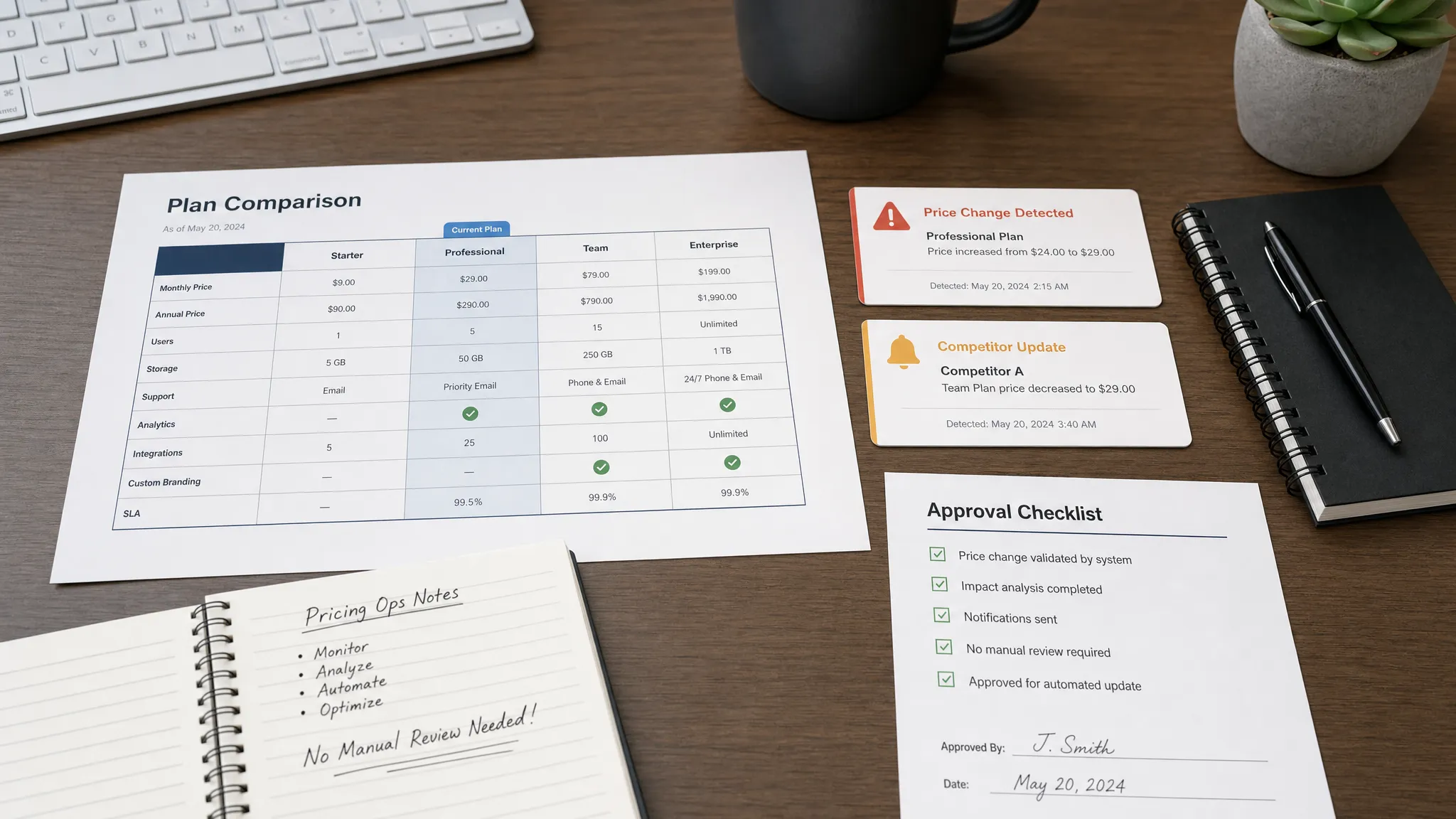
The third layer is context. Alerts should include enough detail to show what changed, where it changed, and when it changed. A message that says “pricing page changed” is much less useful than one that shows the previous and new text.
Full change history and audit trails matter here. If a pricing claim is disputed later, your team needs to see the sequence of changes instead of relying on memory or screenshots.
Build a response workflow, not just an alert
Monitoring pricing pages without manual checks does not mean removing humans from the process. It means humans spend their time on decisions, not repetitive page refreshes.
A strong workflow answers five questions:
- Who receives the alert first?
- Who validates whether the change was expected?
- Who can approve the change if it was intentional?
- Who can revert or fix the issue if it was accidental?
- Where is the response documented?
For many teams, the alert should create or update a task in the system where work already happens. If your team manages projects in Google Workspace, a collaborative tool such as Kanbanchi can help turn pricing-page alerts into assigned tasks with boards, timelines, and ownership.
DiffHook can also send notifications through Slack and email, and connect to workflows through webhooks and integrations. The best setup depends on your operating rhythm. A small team may only need a Slack alert and an owner. A larger organization may need a webhook that opens a ticket, assigns a reviewer, and stores a change record.
Decide which changes need real-time alerts
Not every pricing page change needs the same urgency. Real-time monitoring is most valuable when the cost of delay is high.
For example, if your checkout page displays the wrong price, every minute can affect revenue or customer trust. If a regional FAQ changes unexpectedly, the risk may be lower but still important. If a competitor quietly changes their pricing, a same-day alert may be enough for sales and positioning work.
A simple severity model helps teams avoid overreacting.
| Severity | Example | Recommended response |
|---|
| Critical | Wrong live checkout price, broken pricing CTA, unauthorized price change | Immediate alert to owner and incident channel |
| High | Plan limit mismatch, discount text change, trial term change | Same-day review and confirmation |
| Medium | Competitor pricing update, comparison table edit | Review in sales or marketing workflow |
| Low | Cosmetic layout change, testimonial rotation | Log only or ignore |
DiffHook is designed for real-time alerts when important changes happen, but teams should still decide which surfaces deserve immediate interruption. The point is to protect revenue and risk without creating a culture of constant pings.
Monitor your own pages and external pricing pages differently
Your own pricing pages need operational monitoring. You want to know whether a change was expected, whether it matches your internal source of truth, and whether it reached production correctly.
External pricing pages, such as competitor pages, partner pages, marketplaces, and vendor rate cards, need intelligence monitoring. You often cannot control the change, but you can respond to it.
For owned pages, alerts should usually connect to approval, QA, and rollback workflows. For external pages, alerts might route to sales enablement, product marketing, procurement, or strategy.
The configuration also differs. On your own pages, you may know the exact selector, API endpoint, or component to monitor. On external sites, you may need broader text monitoring with noise filtering because page structures can change without warning.
Keep a pricing source of truth
Monitoring tells you what changed. It does not, by itself, tell you whether the new value is correct. For that, you need a pricing source of truth.
This might be a billing system, product catalog, internal pricing sheet, CMS entry, or approved pricing document. The specific system matters less than the discipline: every public pricing claim should be traceable to an approved source.
When an alert fires, reviewers should compare the new page state to that source of truth. If the page is wrong, fix it. If the source of truth changed but the page did not, update the page. If the change was intentional but not communicated, notify the teams that need to know.
Without this step, monitoring can tell you that something changed but leave teams debating whether it should have changed.
What a good pricing page alert should include
A useful alert gives the recipient enough context to act immediately. If they need to open multiple systems just to understand the issue, response slows down.
At minimum, pricing page alerts should include the monitored URL, the changed section, before-and-after content, timestamp, severity, and destination for follow-up. For technical surfaces, include the feed item, API field, or response path that changed.
For compliance and revenue-sensitive pages, preserve the change history. This makes it easier to answer questions such as “When did this price go live?” or “Was this refund language changed before or after the campaign launched?”
DiffHook’s full change history and audit trails are especially relevant for these scenarios, since pricing and policy changes often need evidence, not just notification.
A practical setup checklist
Use this checklist to replace manual pricing reviews with automated monitoring in a controlled way.
- Inventory every page, feed, and API that contains pricing, discounts, plan limits, billing terms, or policy language.
- Classify each surface by business impact: critical, high, medium, or low.
- Define the exact elements or fields to monitor, such as price amounts, CTA links, plan limits, or refund terms.
- Filter out dynamic elements like carousels, timestamps, cookie banners, and irrelevant layout shifts.
- Route alerts to the owner who can validate and act on the change.
- Preserve change history so finance, legal, RevOps, and support can review what happened later.
- Review alert quality after the first few weeks and tune filters to reduce false positives.
This setup does take some initial thought, but it replaces recurring manual labor with a repeatable control system.
How DiffHook helps teams stop checking pricing pages manually
DiffHook is built for teams that need to know when important web changes happen, especially changes that affect revenue, compliance, and operations. Instead of asking someone to manually revisit pricing pages, DiffHook monitors pages, prices, policies, feeds, and APIs, then alerts teams when meaningful changes occur.
For pricing workflows, that means you can watch key pricing pages, filter out noise, receive fast alerts through Slack or email, and connect alerts to downstream workflows with webhooks and integrations. Teams that need governance can also use full change history, audit trails, SSO and role access, and an EU hosting option.
If you are already monitoring broader site risk, DiffHook’s guide to monitoring a web page for critical changes can help you extend the same principles beyond pricing into policies, operational pages, and customer-facing content.
Frequently Asked Questions
What is the best way to monitor pricing pages? The best way is to monitor the exact pricing elements that affect buyers, such as prices, plan limits, billing terms, discounts, CTAs, and policy language. Use filtering to ignore irrelevant page changes, then route alerts to the correct business owner.
How often should pricing pages be checked? Critical pricing surfaces, such as checkout pages, upgrade flows, and public plan pages, should be monitored in real time or near real time. Lower-risk pages, such as competitor pages or archived comparison pages, may only need periodic alerts.
Can I monitor pricing pages that use JavaScript? Yes, but the monitoring method needs to handle how the page loads content. If pricing is rendered dynamically, you may need browser-rendered page monitoring or direct monitoring of the feed or API that supplies the pricing data.
How do I avoid false alerts from pricing page monitoring? Start by monitoring specific sections or fields instead of the full page. Then ignore dynamic content such as timestamps, rotating testimonials, ads, cookie banners, and layout-only changes. Smart noise filtering helps ensure alerts stay actionable.
Should I monitor competitor pricing pages too? Yes, if competitor pricing affects sales conversations, positioning, procurement, or strategy. Treat competitor monitoring differently from owned-page monitoring: you are gathering intelligence rather than validating internal accuracy.
Stop refreshing pricing pages by hand
Manual pricing checks are slow, inconsistent, and hard to prove after the fact. Automated monitoring gives your team a reliable way to catch price, policy, page, feed, and API changes as they happen.
With DiffHook, you can monitor the pricing surfaces that matter, filter out noise, send alerts to Slack or email, connect workflows through webhooks, and keep a full change history for review. Start by mapping your most important pricing pages, then replace recurring manual checks with real-time change monitoring that protects revenue, compliance, and operations.